Overview
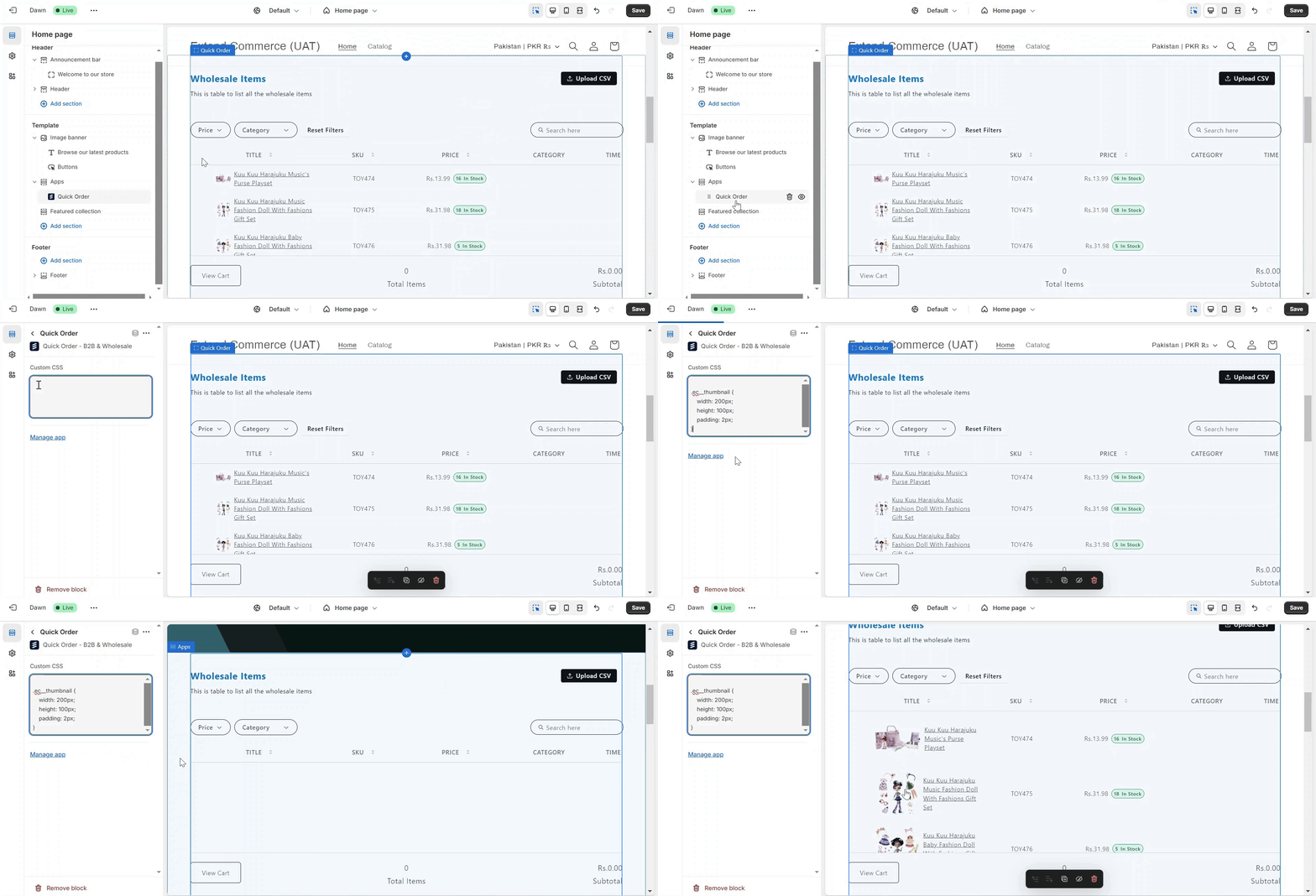
You can now customize the CSS for the product thumbnails that appear in Quick Order or the Product Collection Table on your store. Here’s how to do it:Steps to Customize Thumbnails
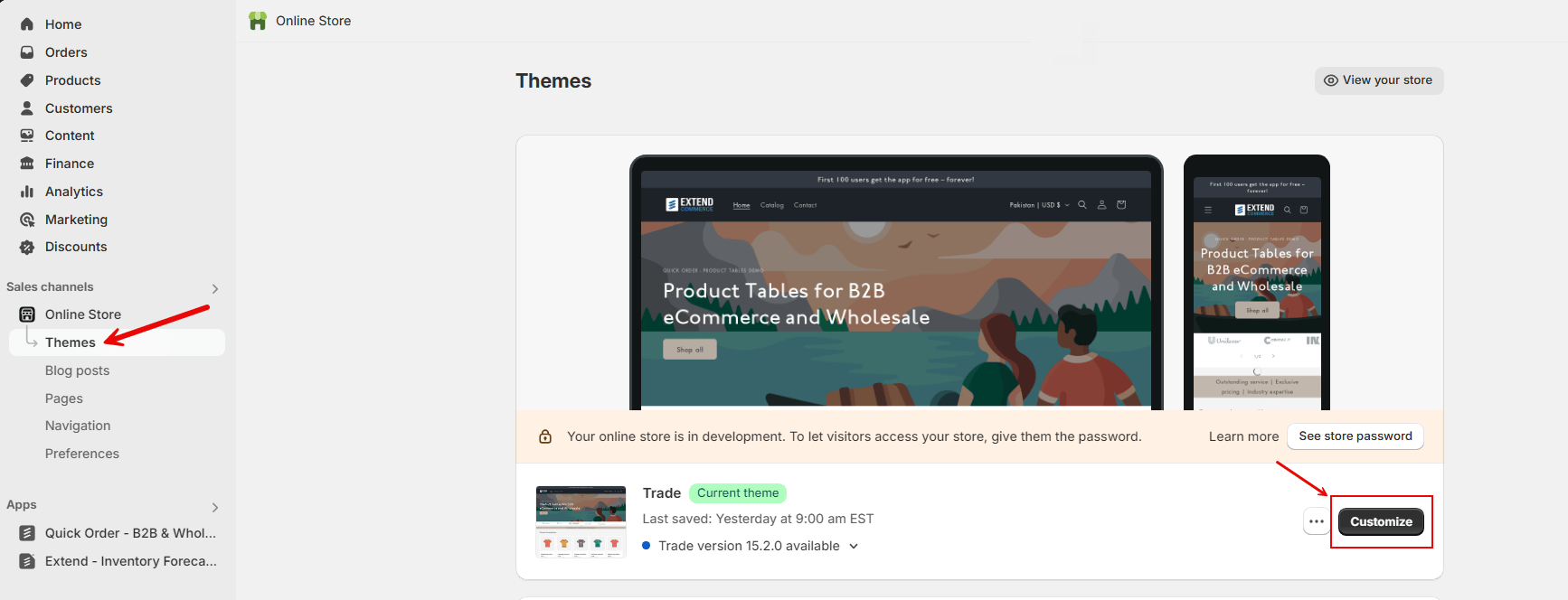
- Click on Online Store in your Shopify Admin.
-
In your theme settings, select the theme currently active on your store and click “Customize”.
-
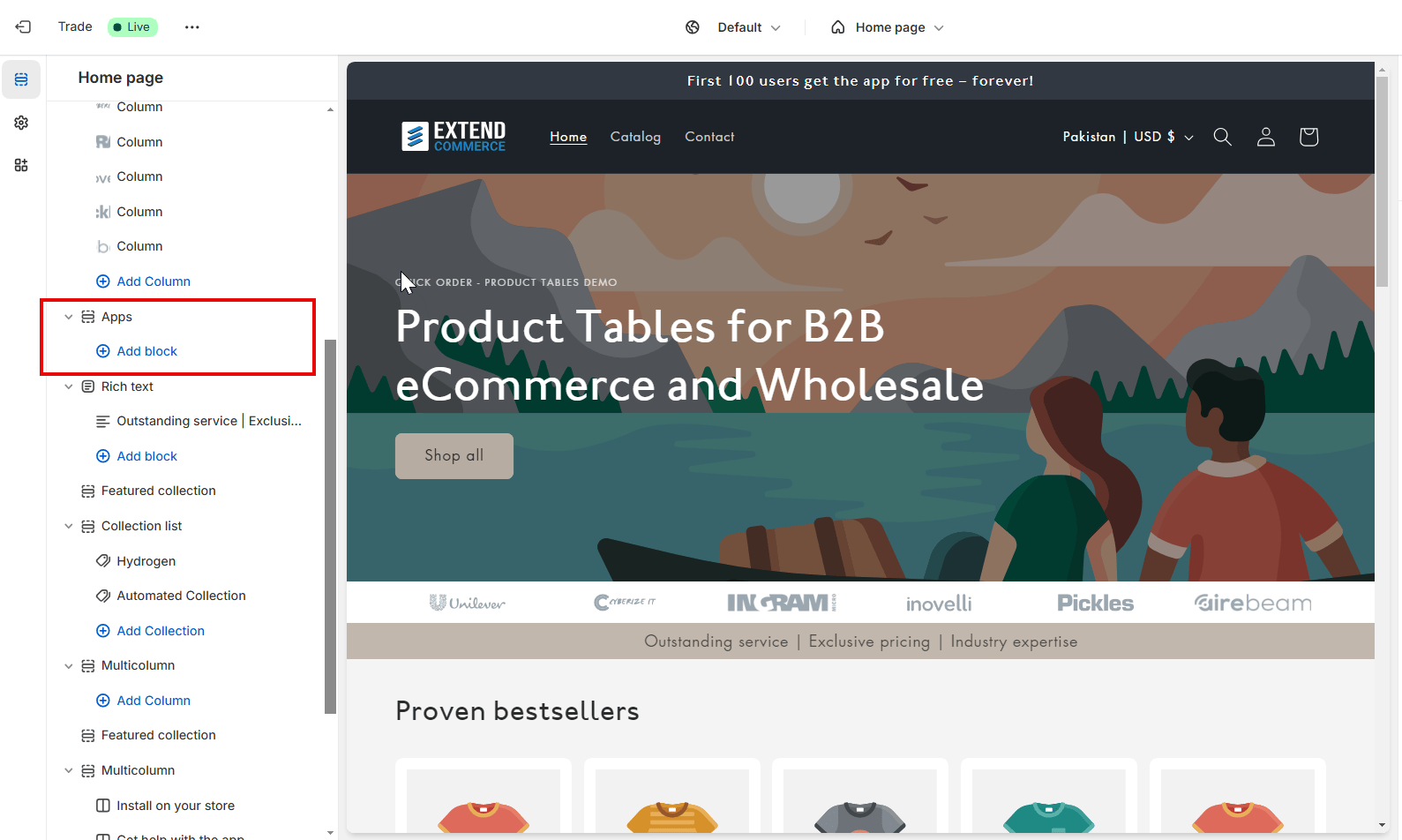
Once inside the theme customizer, add the app—either Quick Order or Product Table—depending on which suits your business needs.
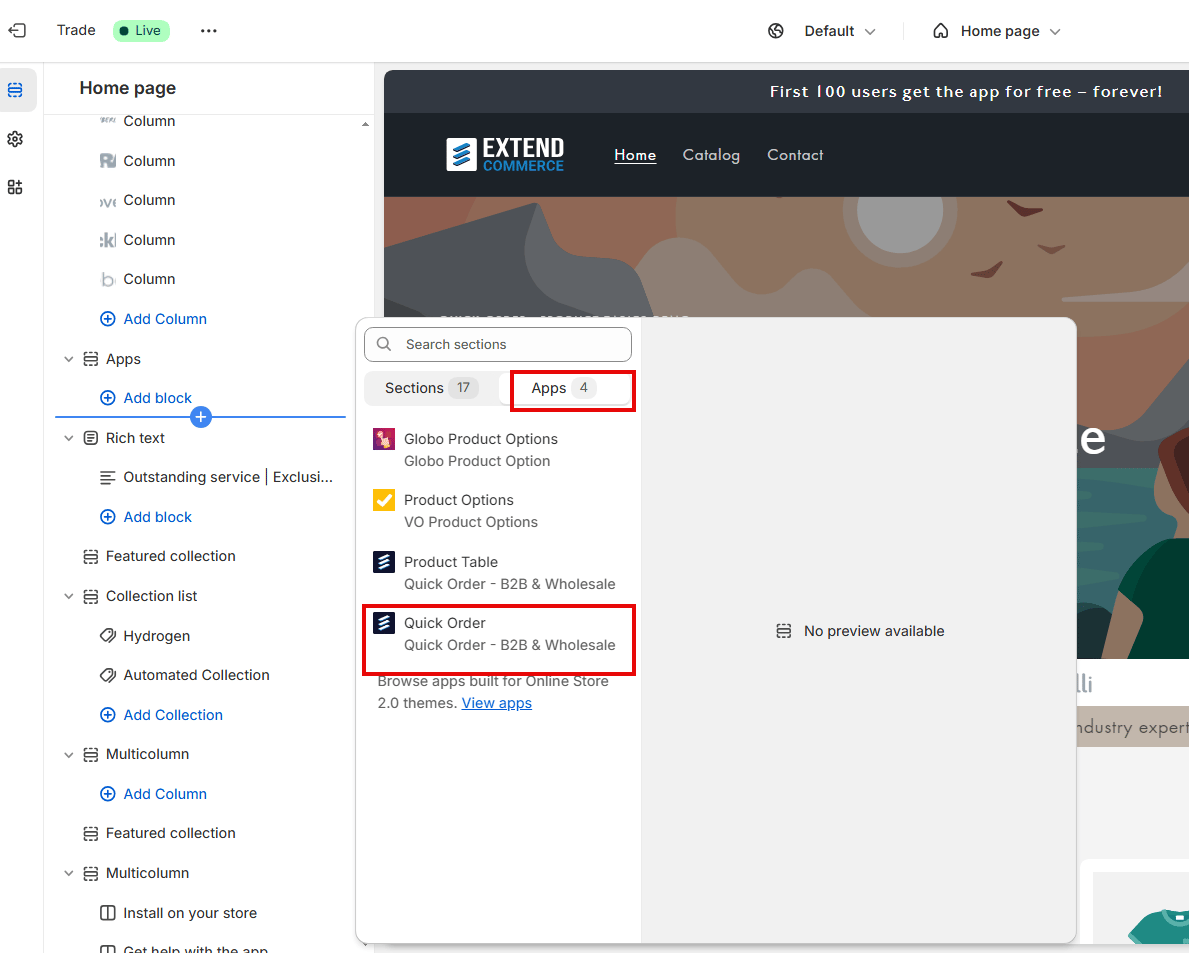
- Click on the app within the customizer, and you’ll see a Custom CSS box available.
-
Input your custom CSS for the product thumbnails. The class for the thumbnails is
.ec__thumbnail. Below is an example of the format in which you can write your CSS: