

1. Theme Setup
To enable inventory enforcement on the storefront, the app requires a theme extension block:- Go to Online Store > Apps > Extend B2B Trade Terms.
-
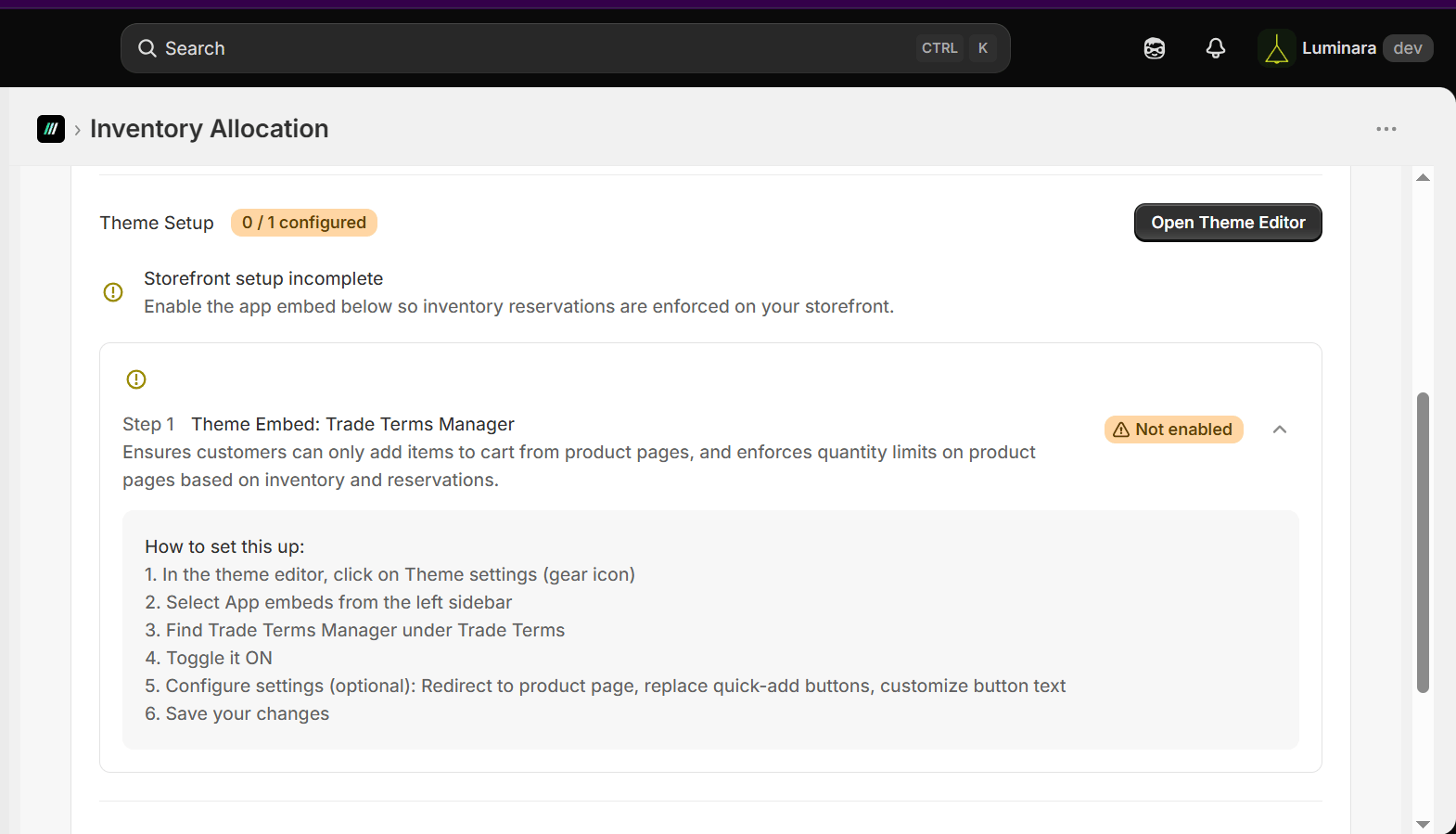
Under Theme Setup Tab, click “Open Theme Editor”.
z
-
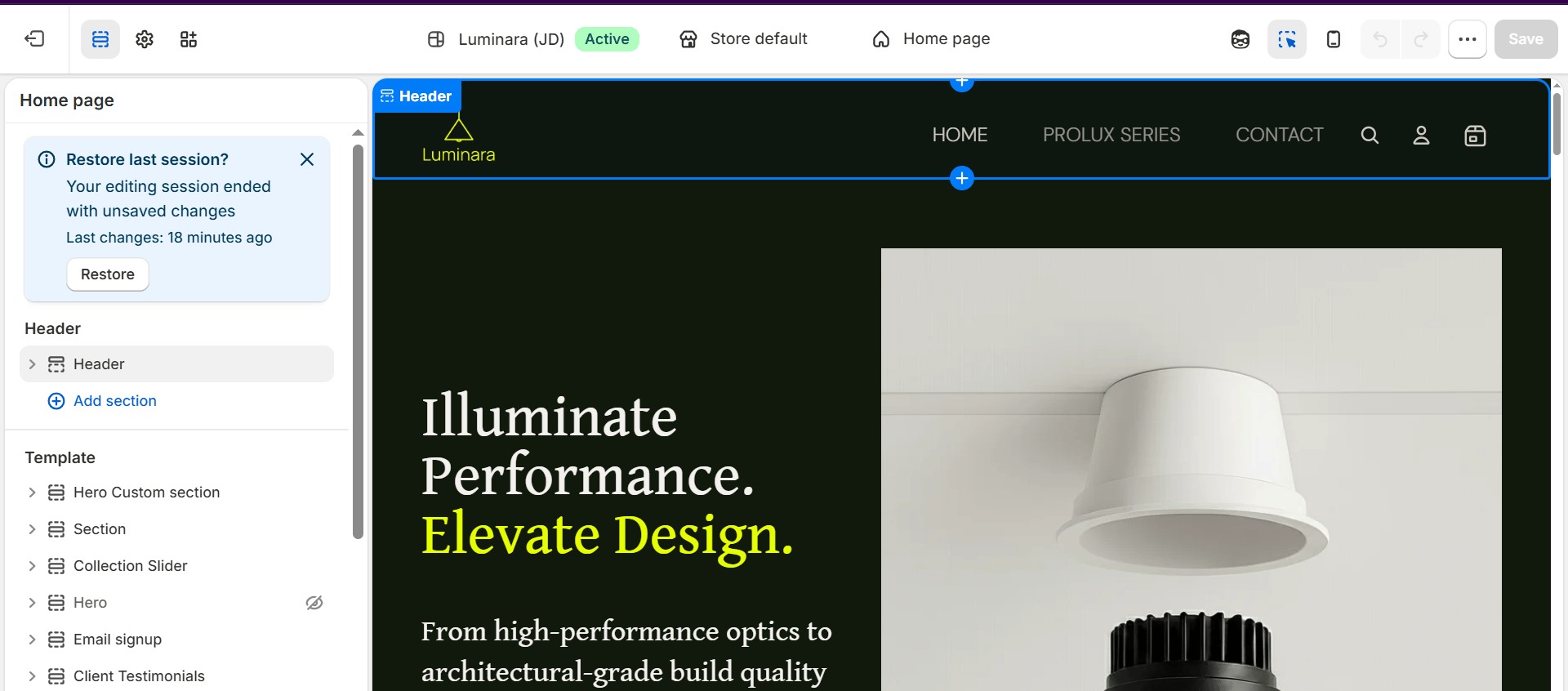
This would redirect you to a new tab as shown below.
-
Click on the third left icon;

-
Toggle the Trade Terms Manager button on to embed the app in your store.
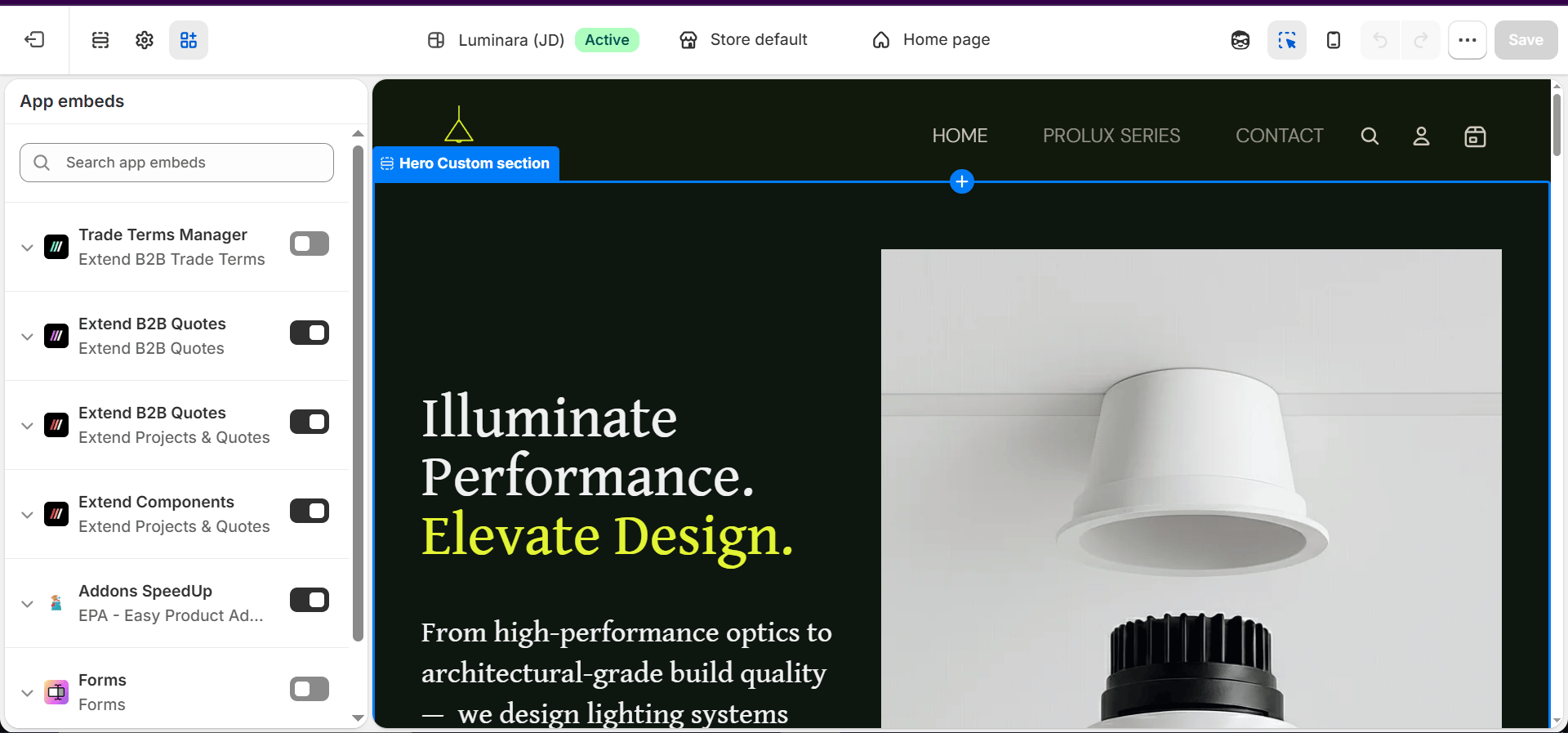
- Save changes.
- Extend B2B Trade Terms is ready to be used.