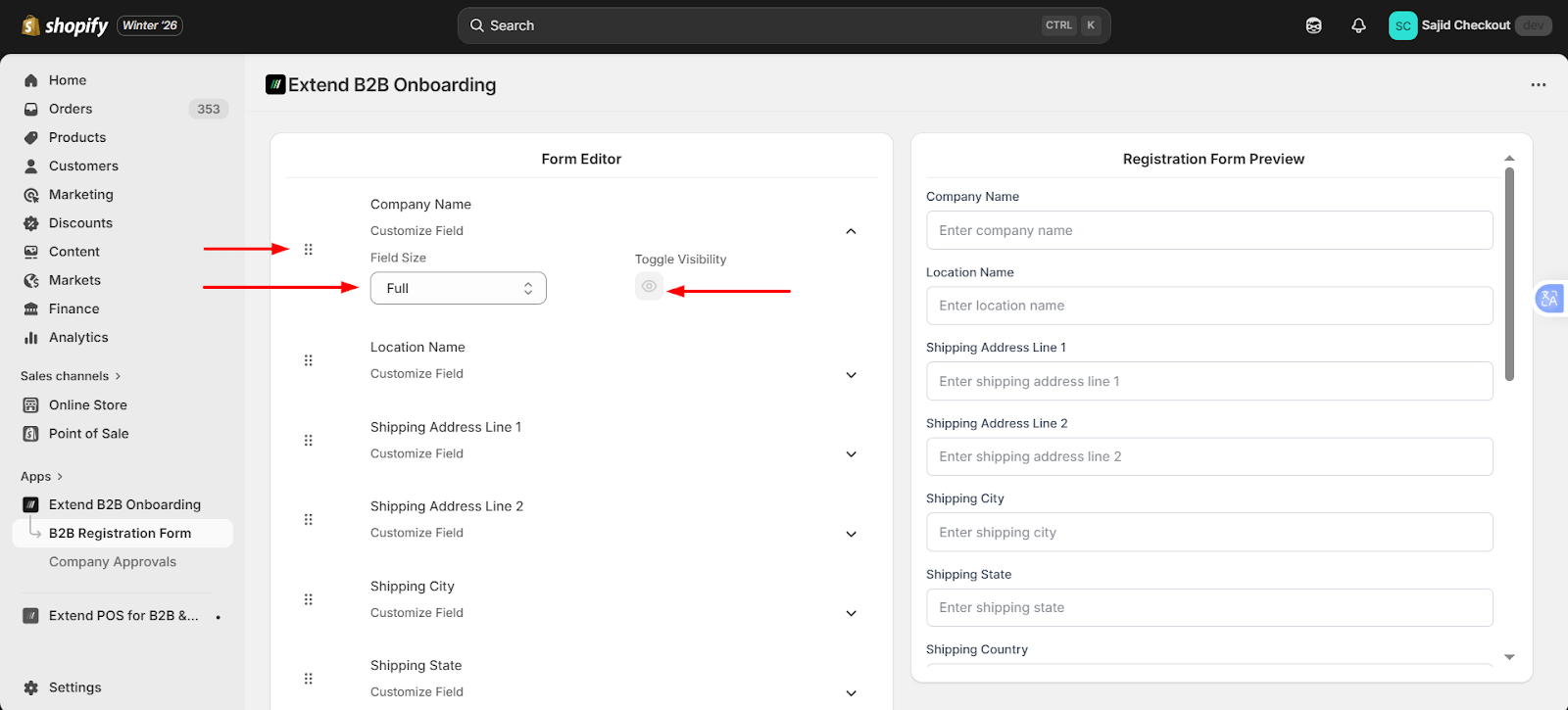
Default Fields
Default fields are mandatory. These fields ensure that:- A Company can be created
- At least one Company Location exists (required by Shopify)
Adding Custom Fields Using Meta fields
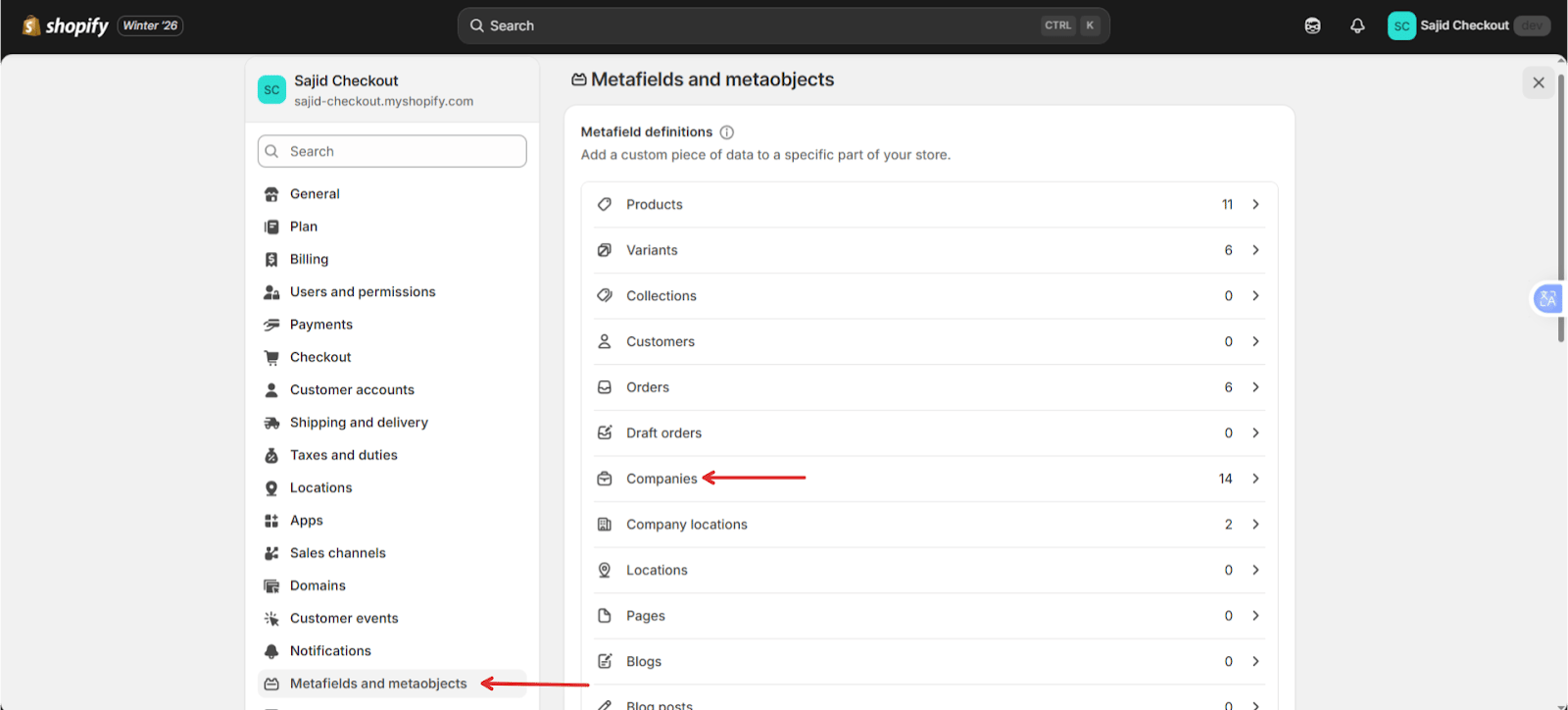
To collect additional company information:- Go to Shopify Admin → Settings → Meta fields and metaobjects → Companies
- Create company-level meta fields
- Return to the app
Managing Form Layout
Custom fields can be:- Enabled or disabled by clicking the view icon
- Removed by deleting the meta fields from Shopify
- Drag and drop fields to reorder them
- Resize fields to change the form layout