> ## Documentation Index
> Fetch the complete documentation index at: https://help.extendcommerce.com/llms.txt
> Use this file to discover all available pages before exploring further.
# Setup Guide
> To enable cart management and display saved carts within your storefront and customer accounts.
# **1. Add Cart Controls Extension to the Theme**
**This extension will display a “Save Cart” button directly on the Cart page, allowing users to save their current cart for later access.**
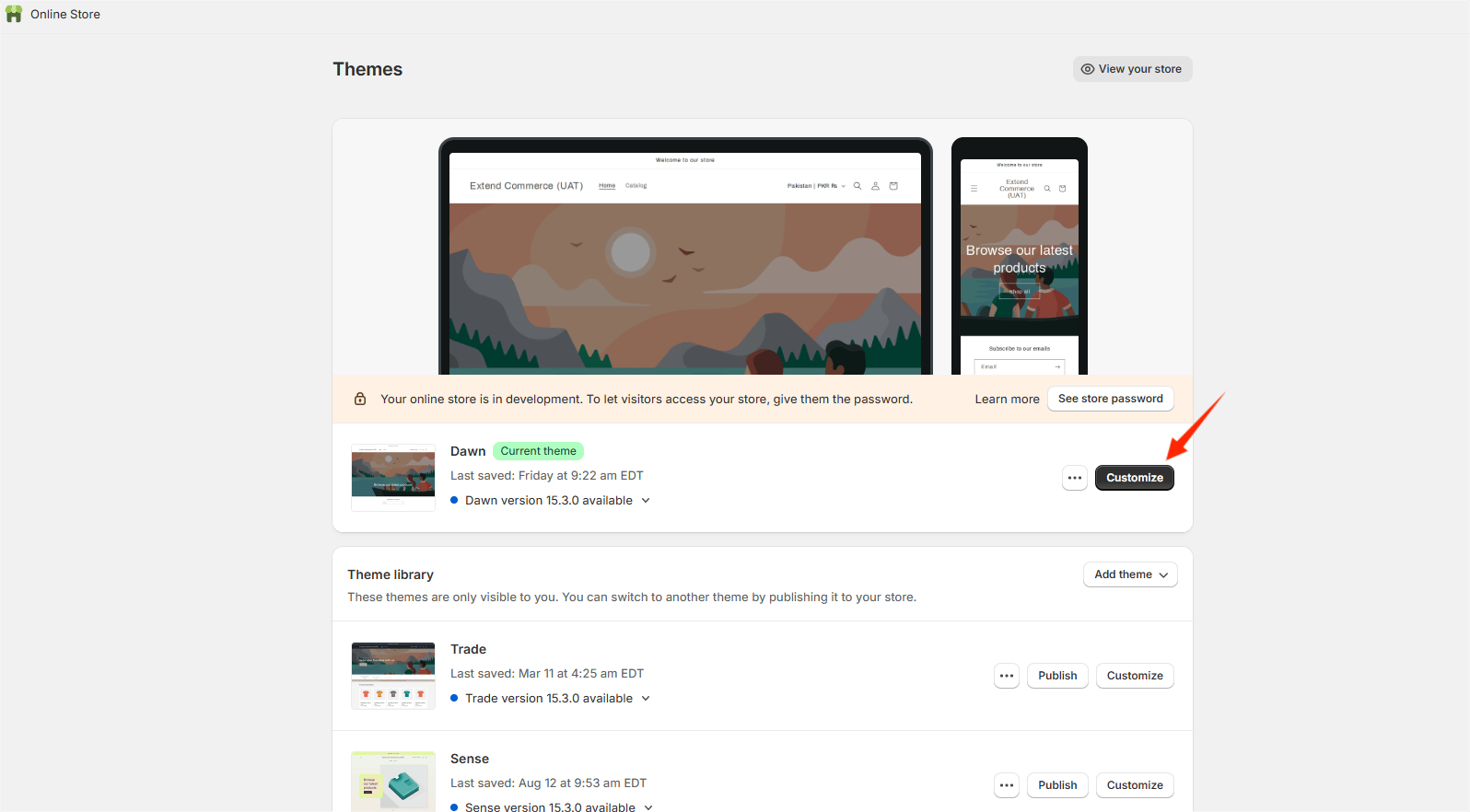
* Go to **Online Store > Customize** (Theme Customizer)
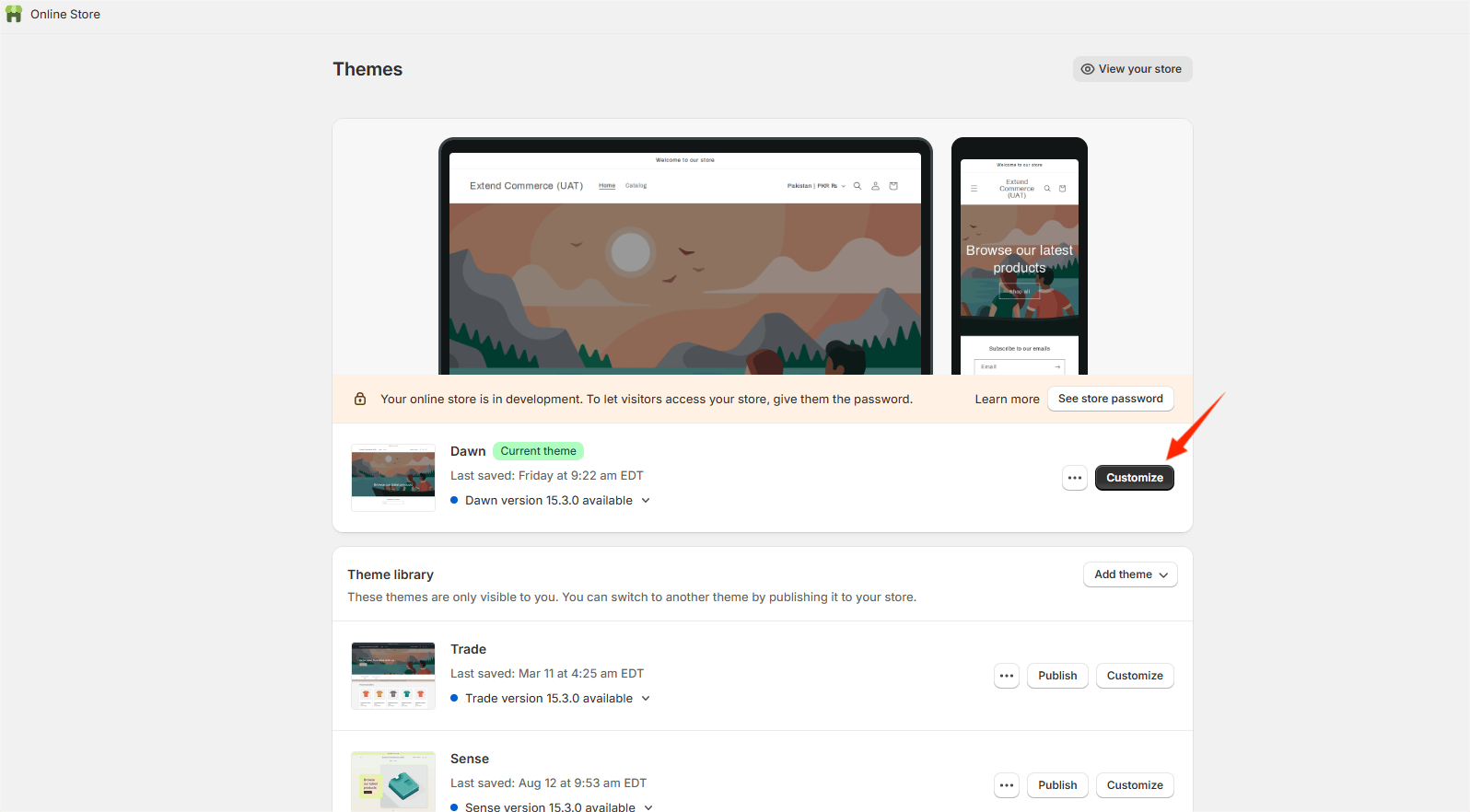 * In the theme editor, select the **Cart** page.
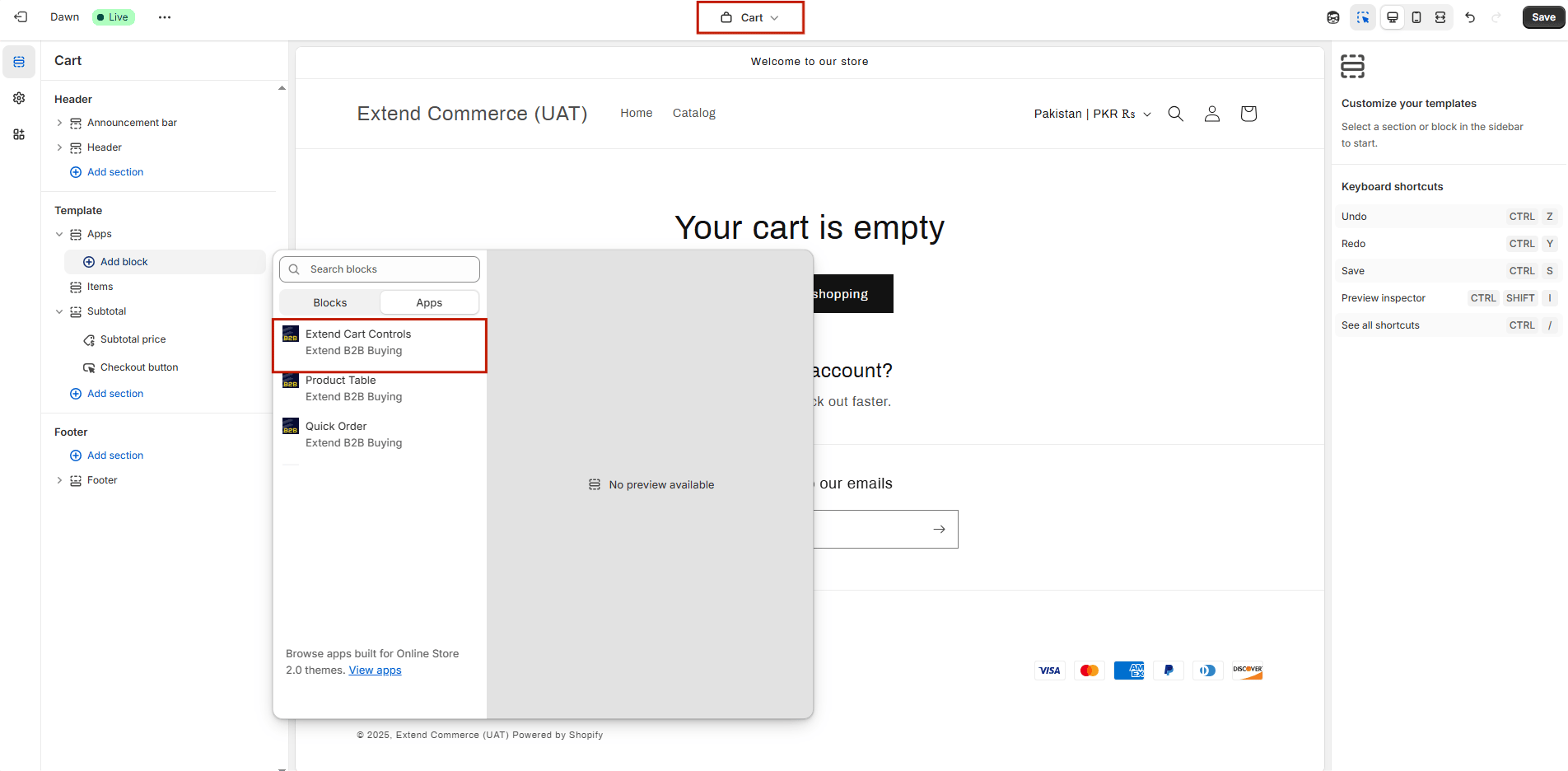
* Click **"Add Section"**.
* Navigate to **Apps > Extend Cart Controls** and add the section.
* In the theme editor, select the **Cart** page.
* Click **"Add Section"**.
* Navigate to **Apps > Extend Cart Controls** and add the section.
 # **2. Add Multi-Cart Extension to Customer Accounts**
This will render the dashboard on the Customer Accounts through which user can manage their projects and quotes and Company **Main Contact** can create roles and assign them cart and quote permissions. In order to embed it do the following:
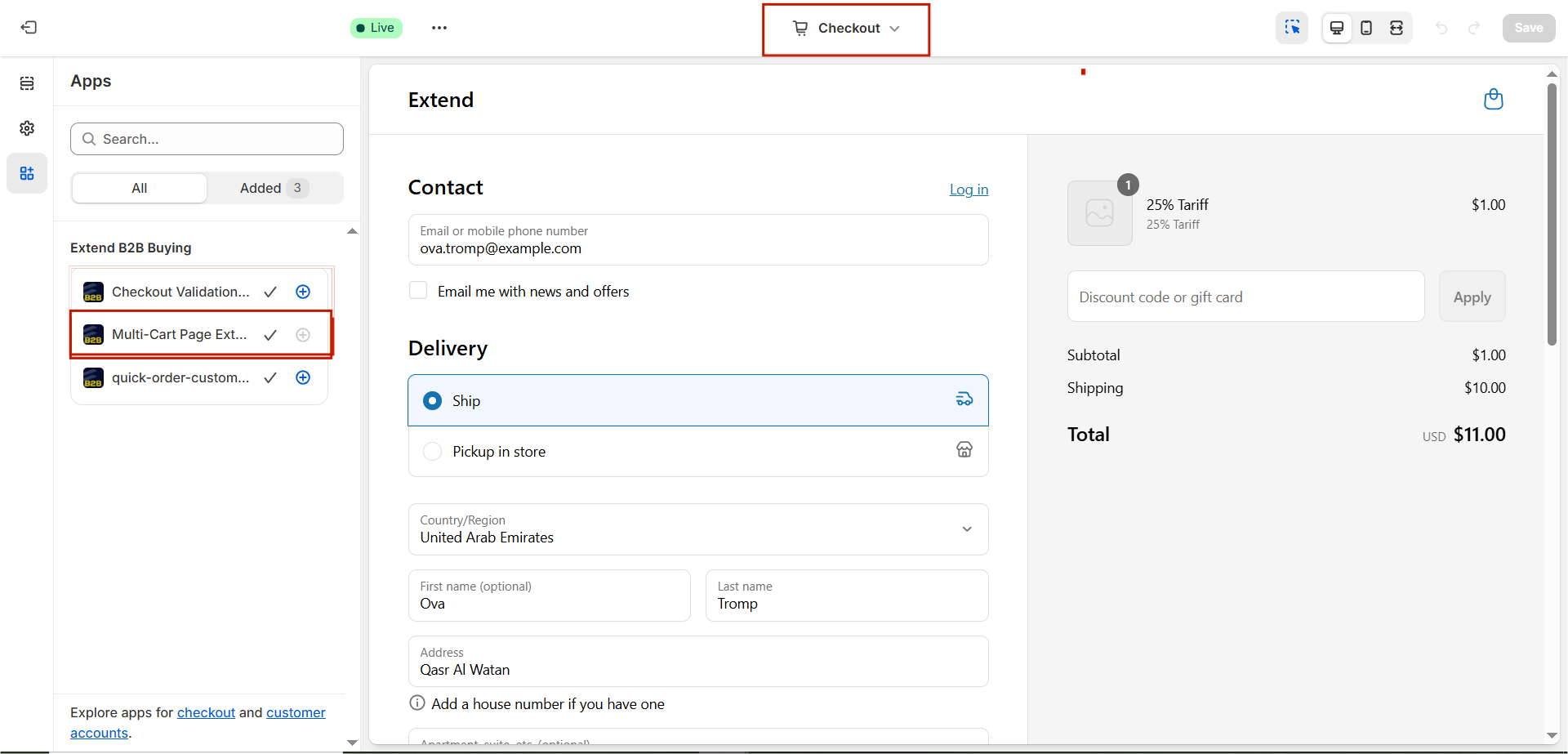
* In the Theme Customizer, select **“Checkout and Customer Accounts”**.
* Navigate to **Apps > Multi-Cart Page Extension** and add it.
# **2. Add Multi-Cart Extension to Customer Accounts**
This will render the dashboard on the Customer Accounts through which user can manage their projects and quotes and Company **Main Contact** can create roles and assign them cart and quote permissions. In order to embed it do the following:
* In the Theme Customizer, select **“Checkout and Customer Accounts”**.
* Navigate to **Apps > Multi-Cart Page Extension** and add it.
 * **Once you'll add the extension next you'll see option:**
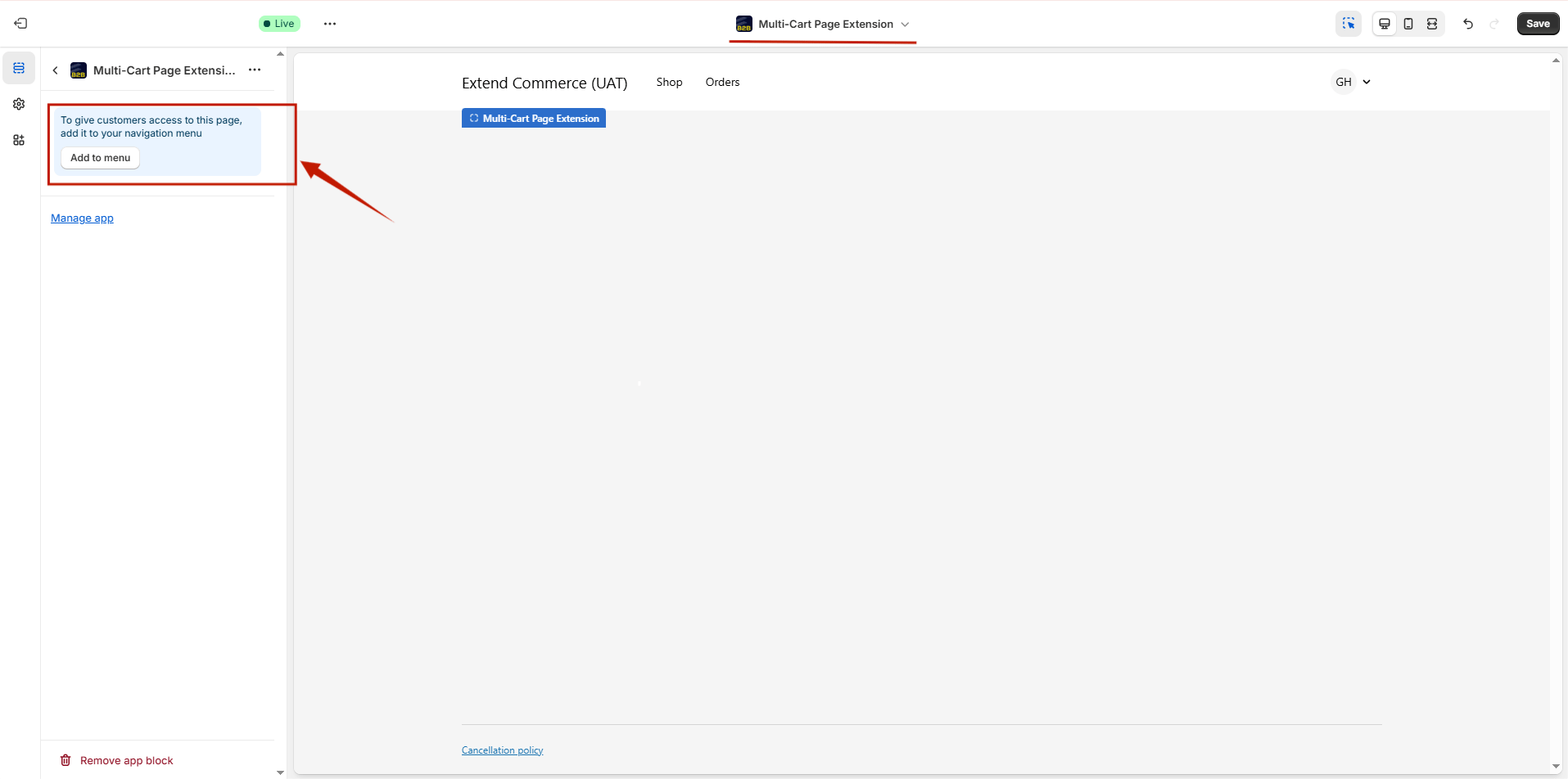 * Click **“Add menu item”**.
* **Label**: Enter a label (e.g., “Projects”).
* **Link**: Select **Apps > Multi-Cart Page Extension**.
* Click **Save Menu**.
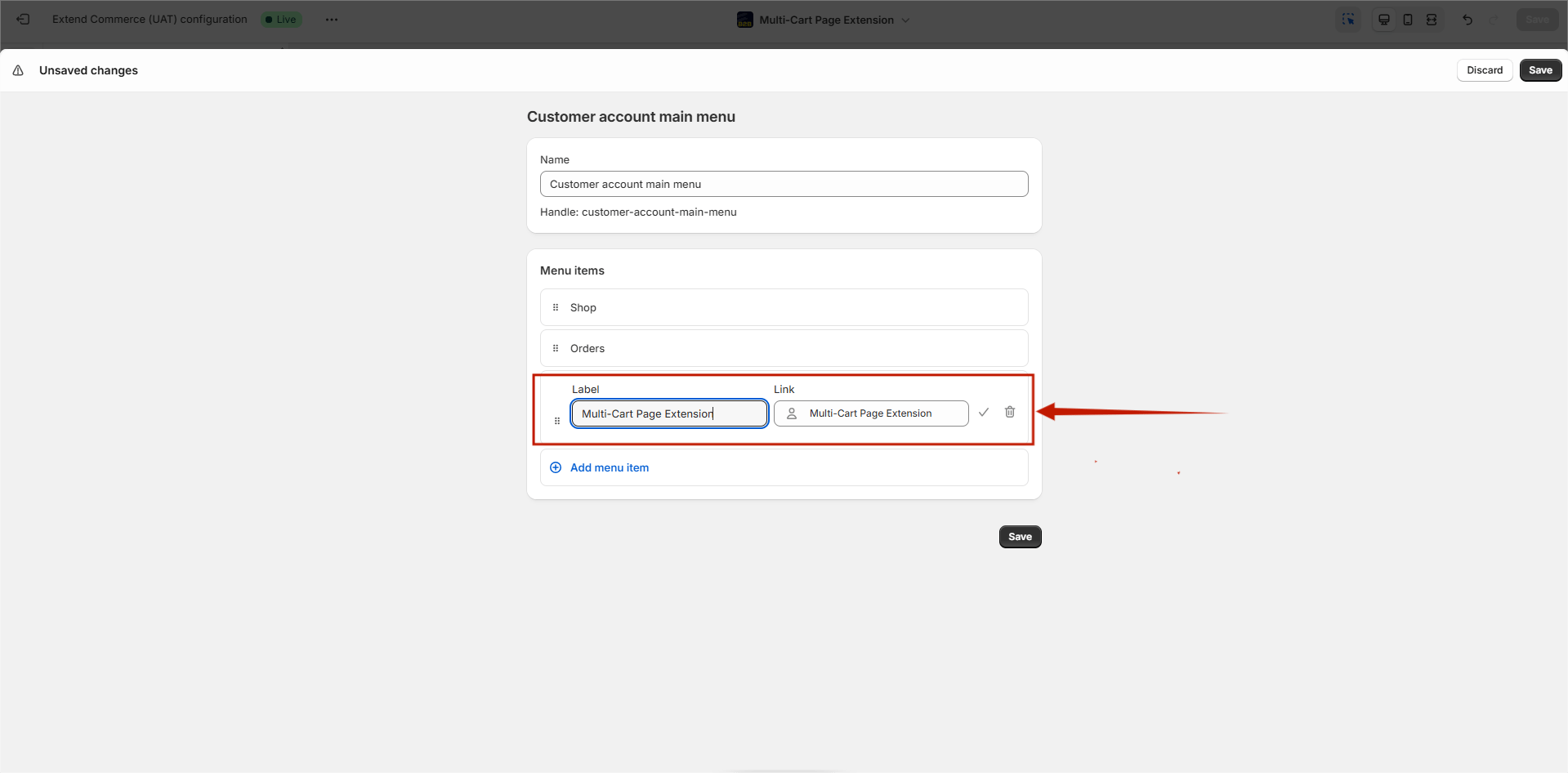
Alternatively, there is another way of doing this as well Go to the admin panel, go to **Content > Menus** > **Customer Account Main Menu.** Enter a label (e.g., “Projects”) and **Link**: Select **Apps > Multi-Cart Page Extension**.
* Click **“Add menu item”**.
* **Label**: Enter a label (e.g., “Projects”).
* **Link**: Select **Apps > Multi-Cart Page Extension**.
* Click **Save Menu**.
Alternatively, there is another way of doing this as well Go to the admin panel, go to **Content > Menus** > **Customer Account Main Menu.** Enter a label (e.g., “Projects”) and **Link**: Select **Apps > Multi-Cart Page Extension**.
 # 3. Add Checkout Validation Extension to Customer Accounts
The **Checkout Validation Extension** ensures that only users with the appropriate permissions — granted by the Company’s **Main Contact** for Carts and Quotes — are allowed to proceed with checkout. If a user lacks the required permissions, the checkout process will be restricted. To embed this extension:
1. In your Shopify admin, go to **Online Store > Customize**.
2. In the Theme Customizer, select **Checkout and Customer Accounts**.
3. Navigate to **Apps > Checkout Validation Extension** and add the extension.
# 3. Add Checkout Validation Extension to Customer Accounts
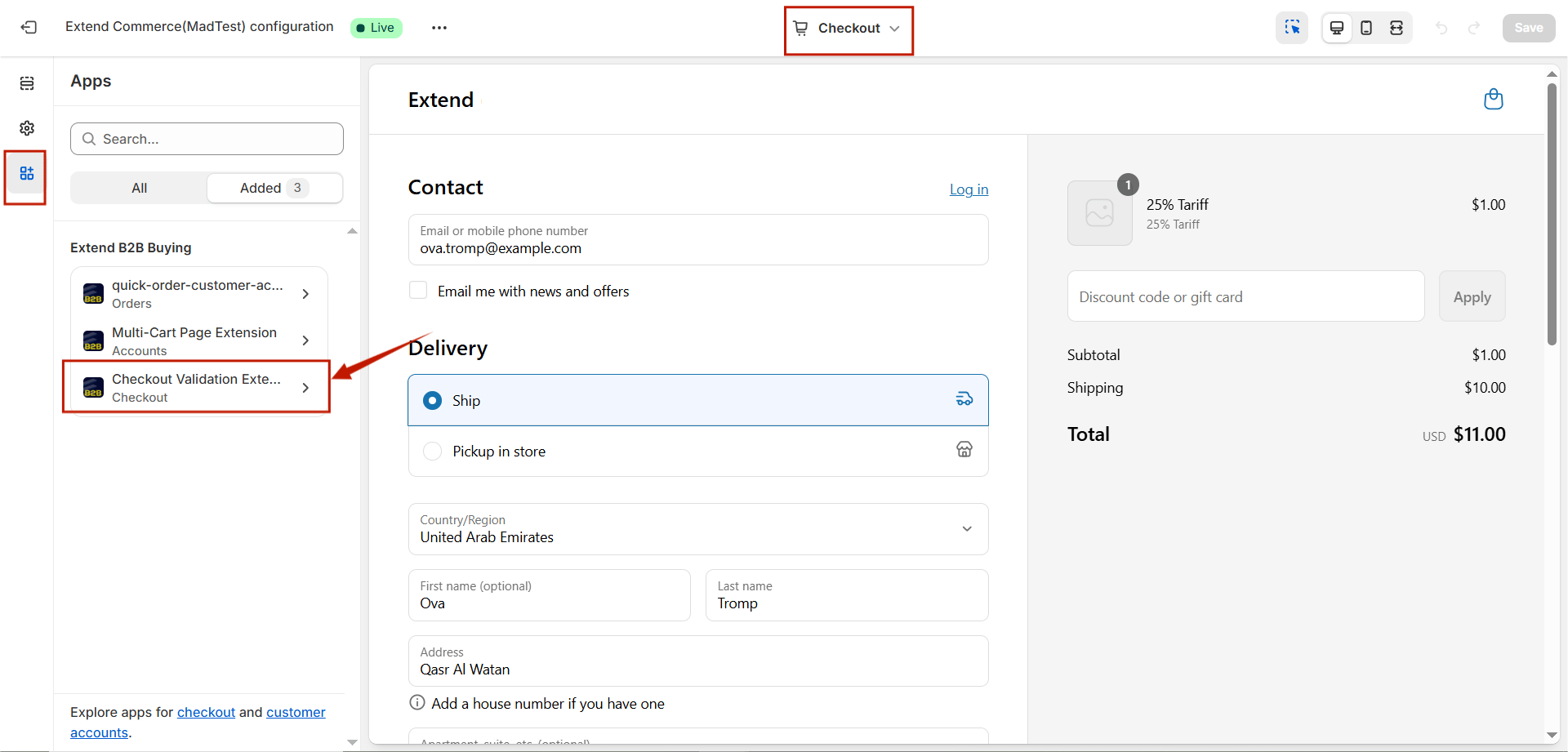
The **Checkout Validation Extension** ensures that only users with the appropriate permissions — granted by the Company’s **Main Contact** for Carts and Quotes — are allowed to proceed with checkout. If a user lacks the required permissions, the checkout process will be restricted. To embed this extension:
1. In your Shopify admin, go to **Online Store > Customize**.
2. In the Theme Customizer, select **Checkout and Customer Accounts**.
3. Navigate to **Apps > Checkout Validation Extension** and add the extension.
 # Next Steps
You’re all set to start using the **Projects and Quotes** features.\
To learn how to create, manage, and share saved carts, check out the following articles:
* [How to Create and Save Projects](/shopify/extend-projects-and-quotes/creating-and-saving-projects)
* [How to Create and Configure Quotes](/shopify/extend-projects-and-quotes/creating-and-configuring-quotes)
* [How to Create and Use Shopping List](/shopify/extend-projects-and-quotes/creating-and-using-shopping-list)
# Next Steps
You’re all set to start using the **Projects and Quotes** features.\
To learn how to create, manage, and share saved carts, check out the following articles:
* [How to Create and Save Projects](/shopify/extend-projects-and-quotes/creating-and-saving-projects)
* [How to Create and Configure Quotes](/shopify/extend-projects-and-quotes/creating-and-configuring-quotes)
* [How to Create and Use Shopping List](/shopify/extend-projects-and-quotes/creating-and-using-shopping-list)