> ## Documentation Index
> Fetch the complete documentation index at: https://help.extendcommerce.com/llms.txt
> Use this file to discover all available pages before exploring further.
# Embedding Quick Order CSV Extension in Customer Accounts
## Step 1: Configure the CSV Modal in the Admin App
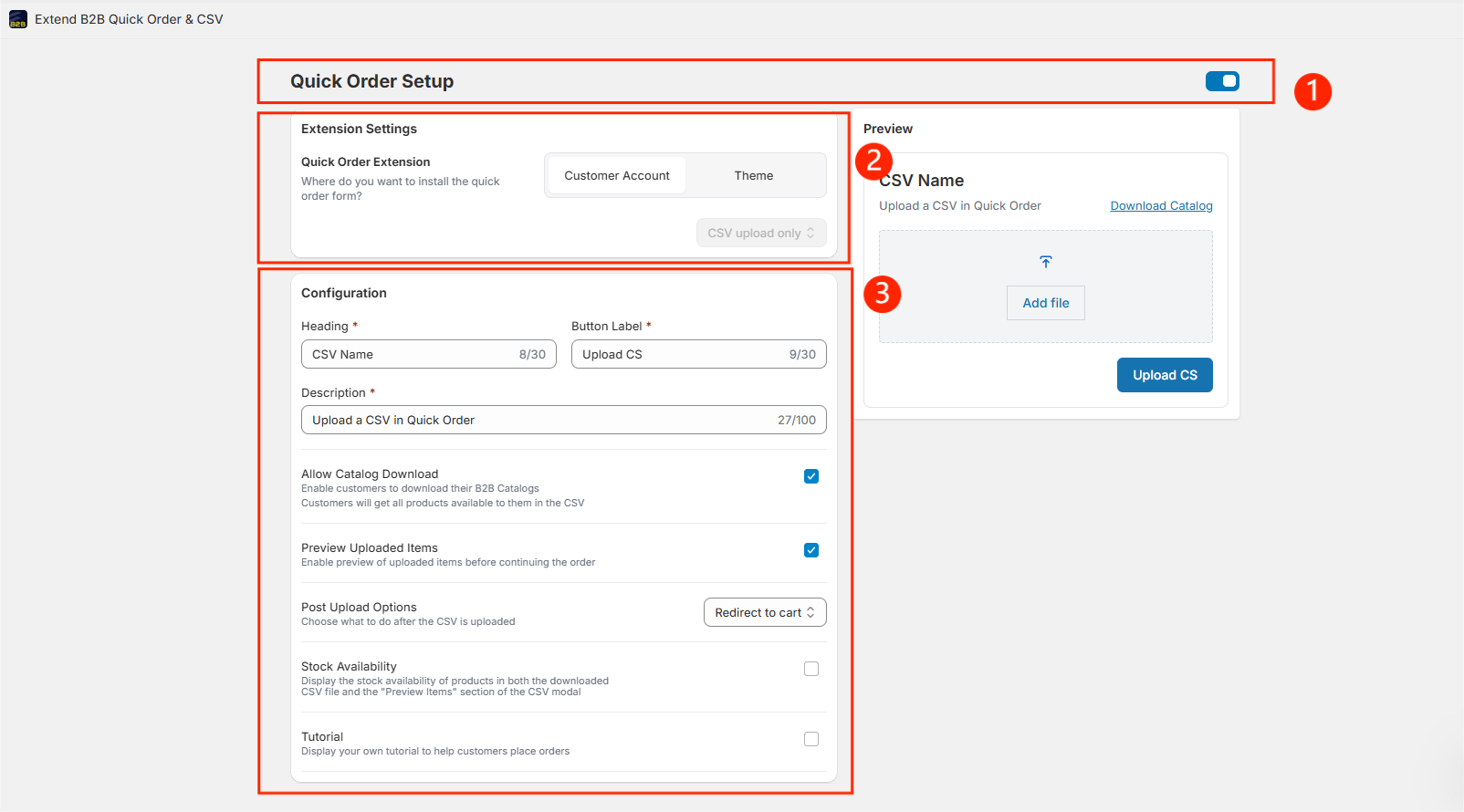
1. **Go to the Admin section** and **Enable the Quick Order Setup**
2. Choose **Customer Account** in the Quick Order Extension section
3. **Configuration Settings**
* **Heading, Button Text & Description**\
Customize the text that appears in your CSV upload modal. A live preview will be shown on the right.
* **Allow Catalog Download**\
Enable this option to let customers download a catalog template in CSV format. A "Download Catalog" button will appear in the CSV upload dialog box once enabled.
* **Preview Uploaded Items**\
Allow customers to preview the uploaded CSV items before proceeding.
* **Post Upload Options**\
Decide what happens after CSV upload: redirect to **Cart** or directly to **Checkout**.
* **Stock Availability**\
Show the current stock quantity in both the downloaded CSV and preview modal.
* **Tutorial**\
Add a custom tutorial to guide your customers through placing a bulk order. Enabling this will display a "How to Use" link in the CSV upload dialog box, redirecting customers to your tutorial.
***Note: You can preview these text fields on the right side of the screen.***
 ***
## Step 2: Add the Quick Order Extension to the Customer Account Page
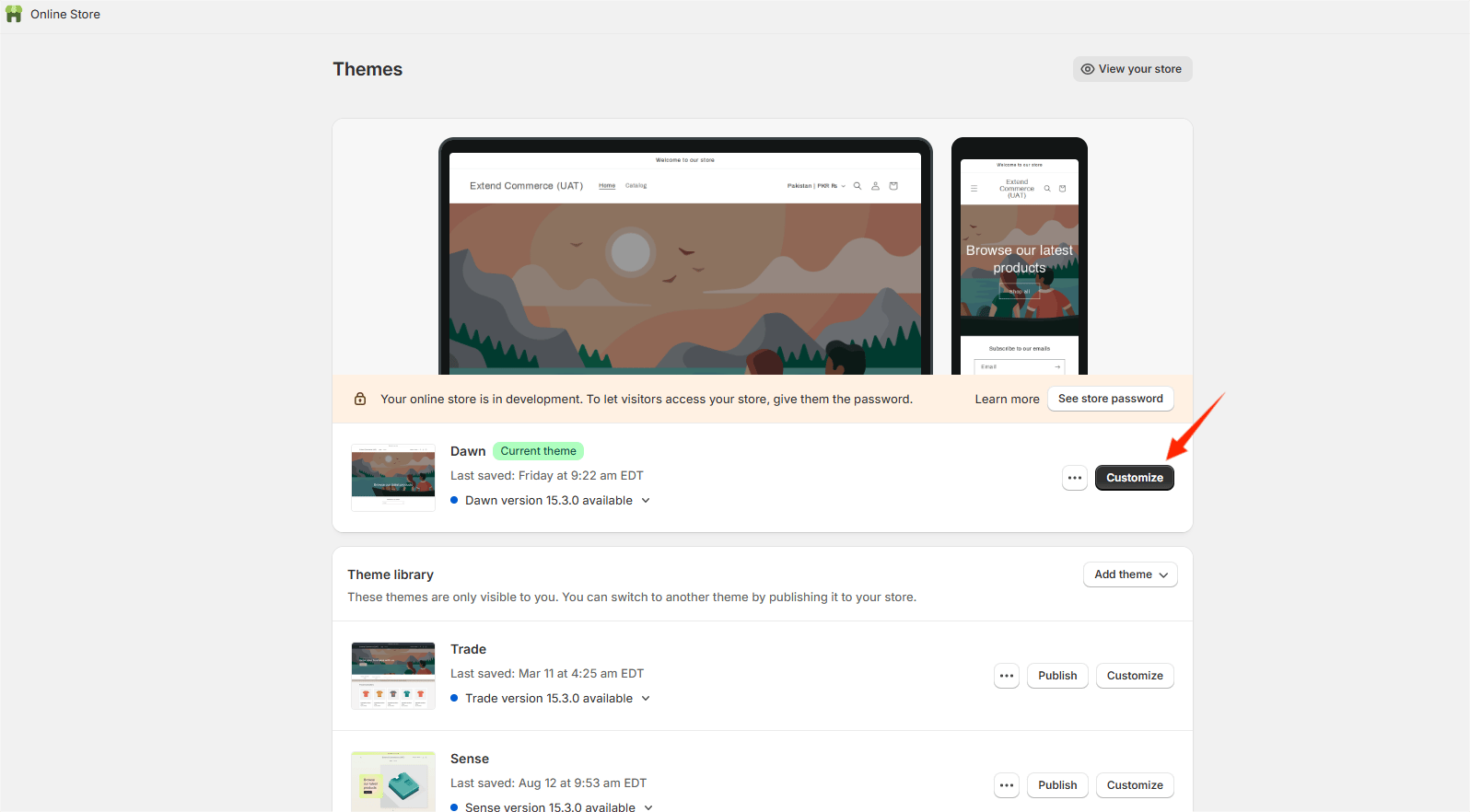
1. Open your **Theme Customizer**.
***
## Step 2: Add the Quick Order Extension to the Customer Account Page
1. Open your **Theme Customizer**.
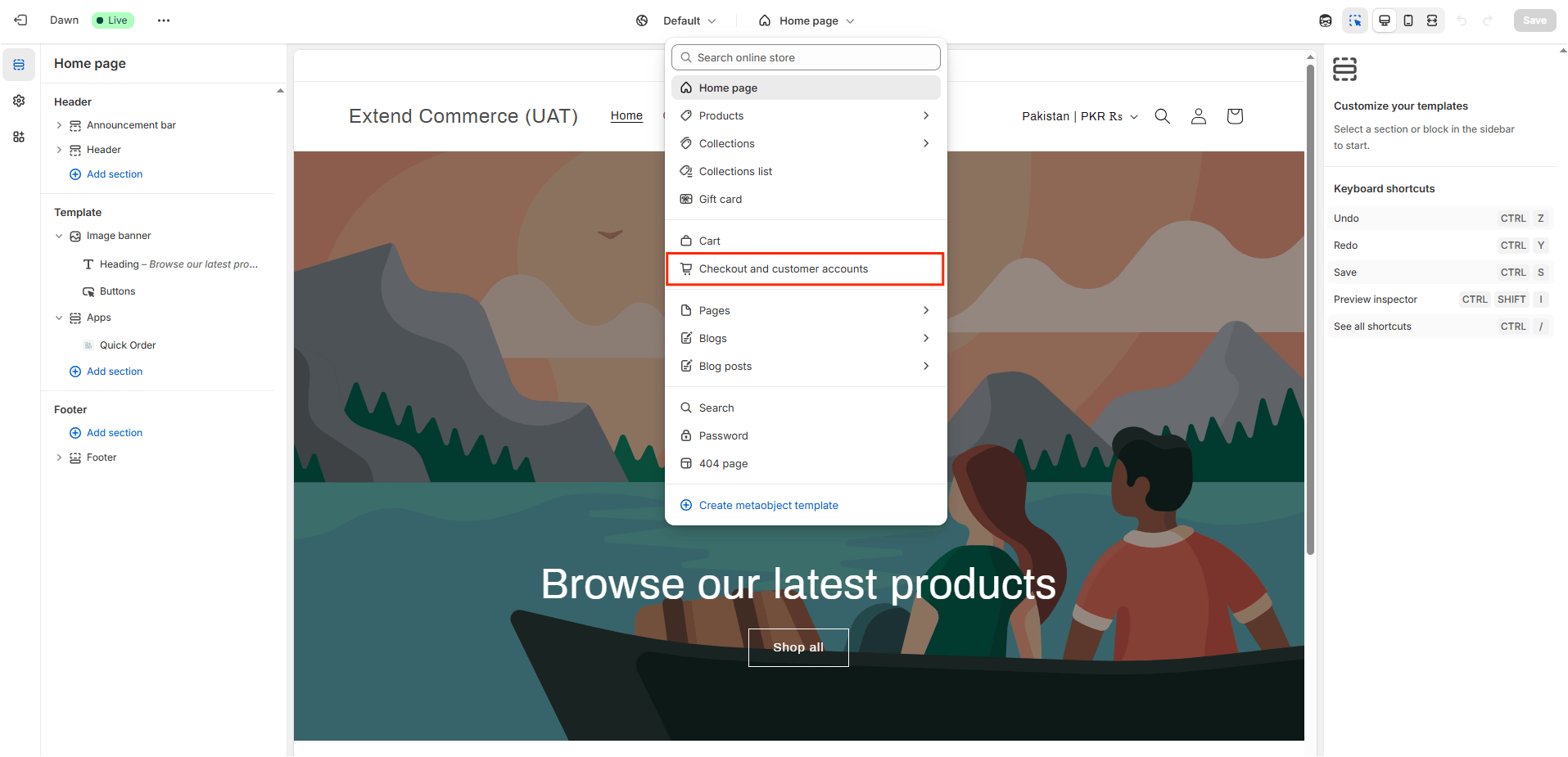
 2\. From the top menu, select **Checkout and Customer Account**.
 3\. Navigate to the **Orders** section.
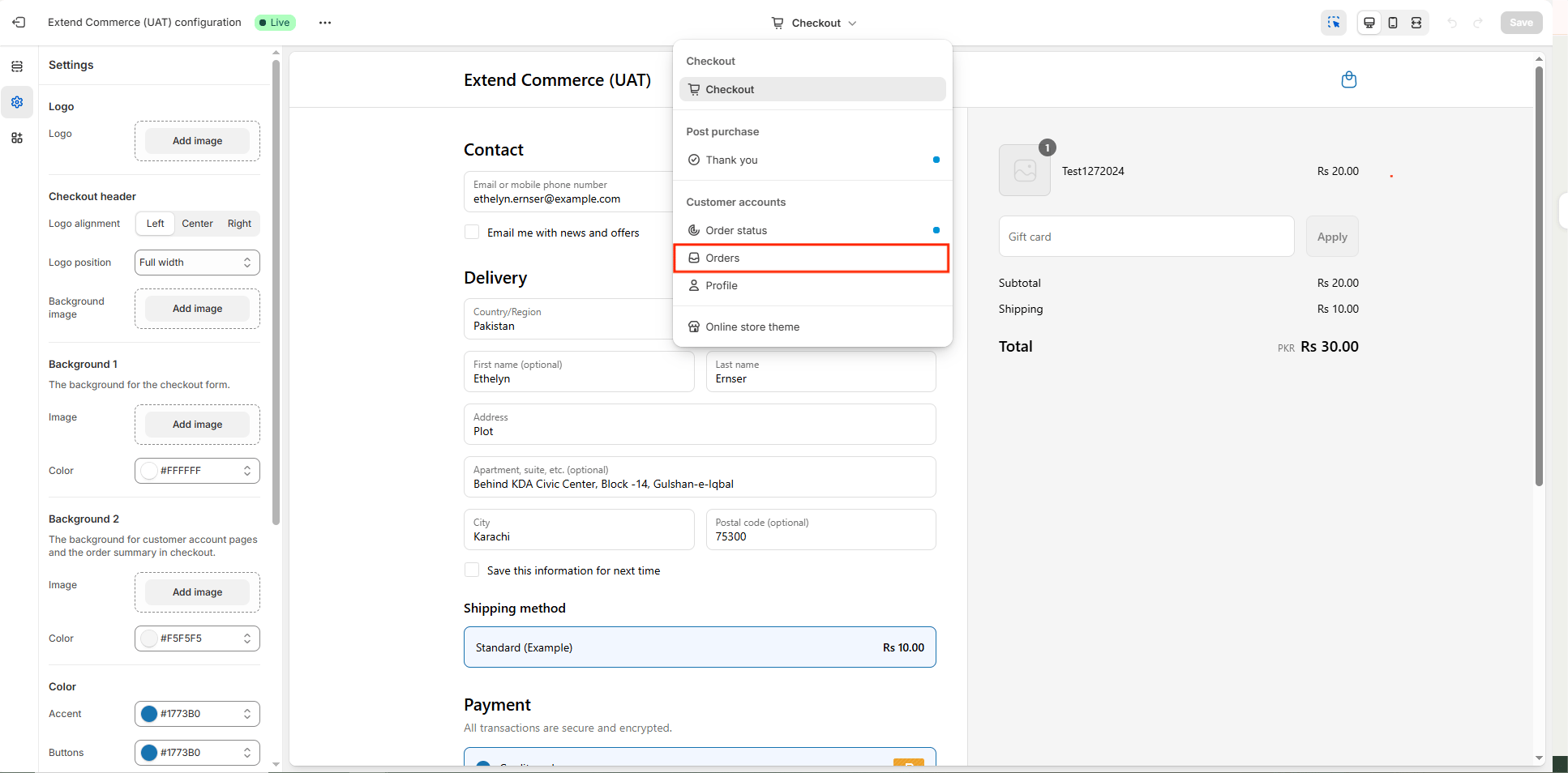 4\. Click on **Apps** and add the **Quick Order App** extension.
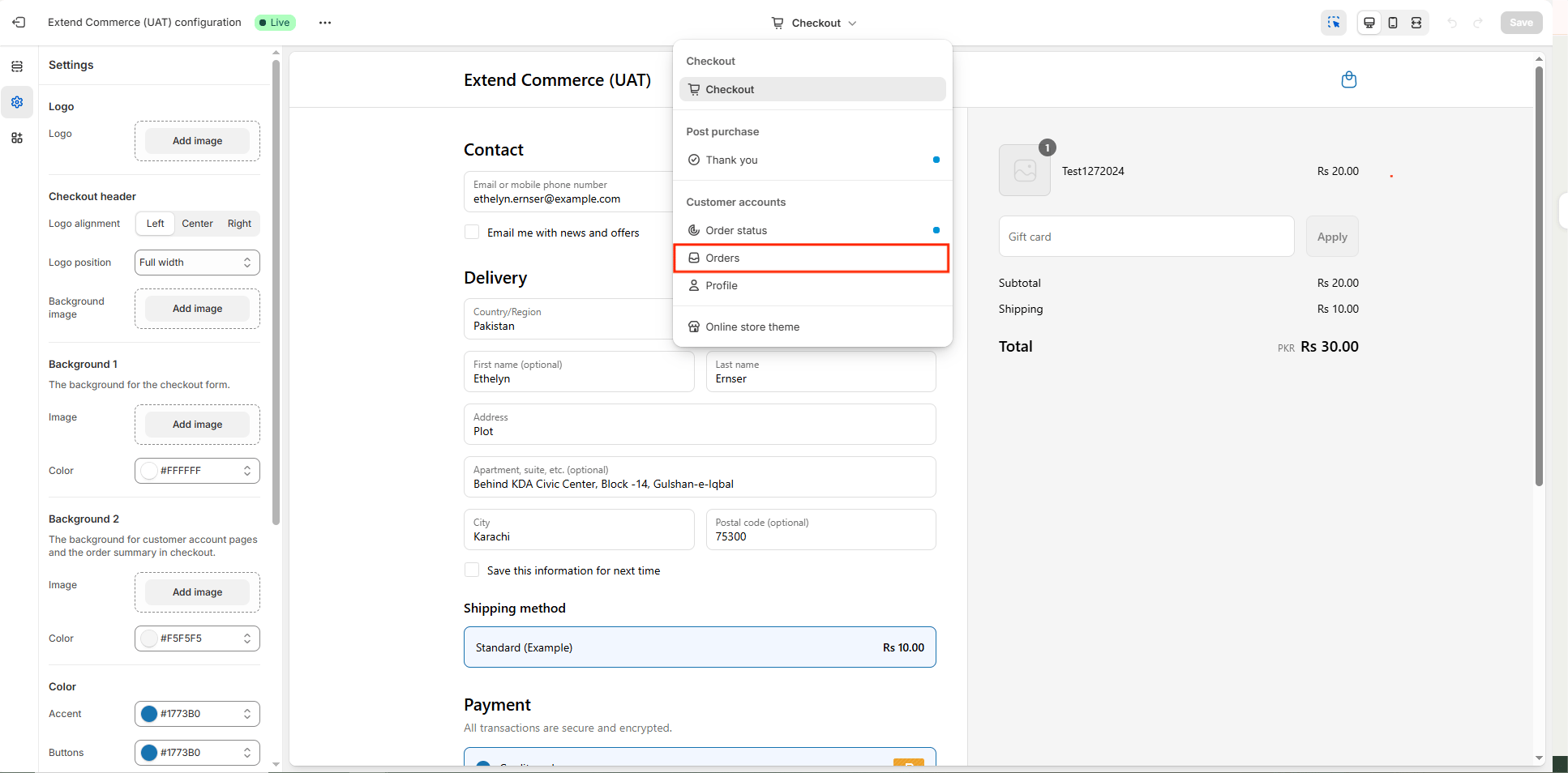 5\. Once added, only logged-in **B2B customers** will be able to:
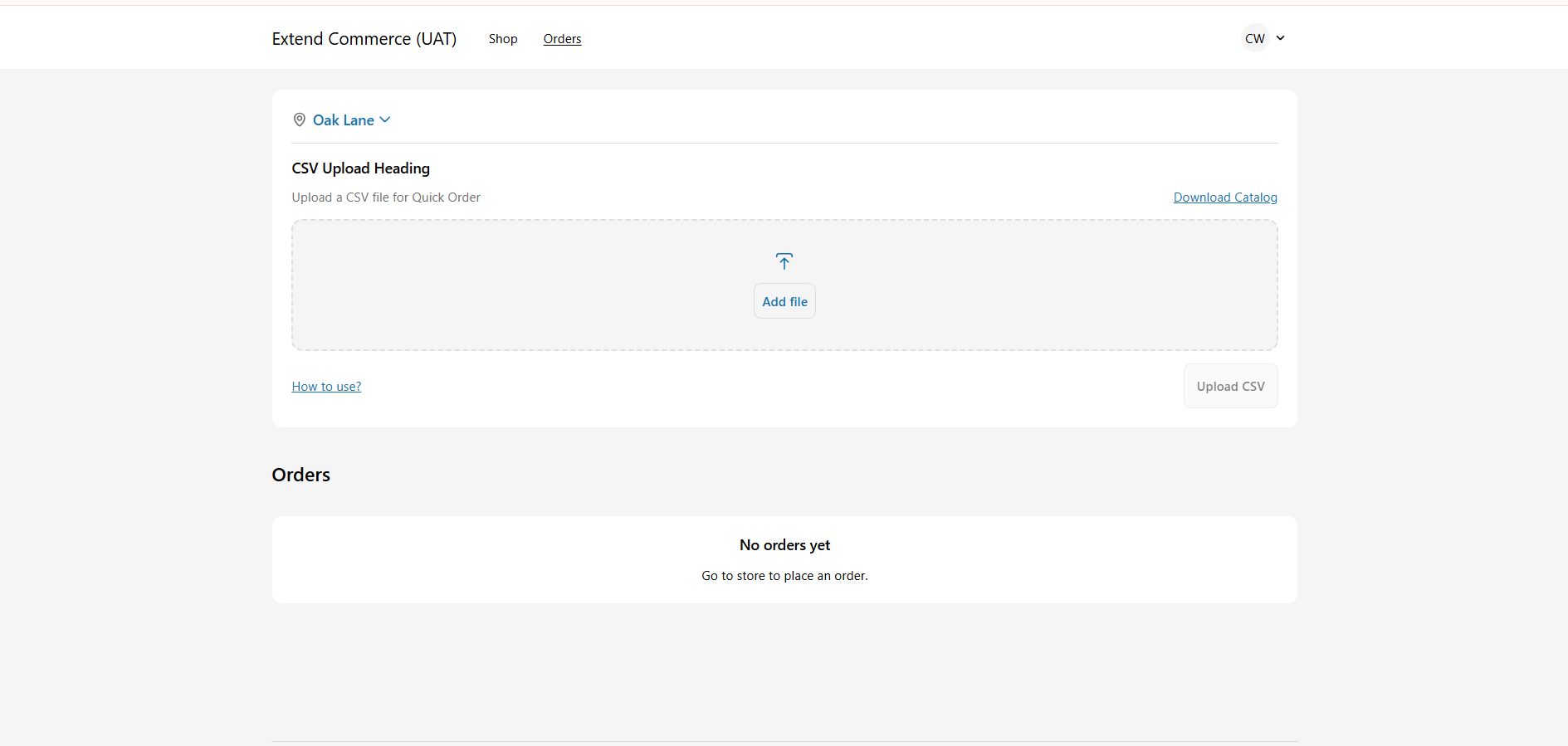
* Download their personalized product catalog, and
* Upload products using a CSV file directly from their account page.
5\. Once added, only logged-in **B2B customers** will be able to:
* Download their personalized product catalog, and
* Upload products using a CSV file directly from their account page.