> ## Documentation Index
> Fetch the complete documentation index at: https://help.extendcommerce.com/llms.txt
> Use this file to discover all available pages before exploring further.
# How to Review and Manage Company Approvals
### Review and Manage Company Approvals
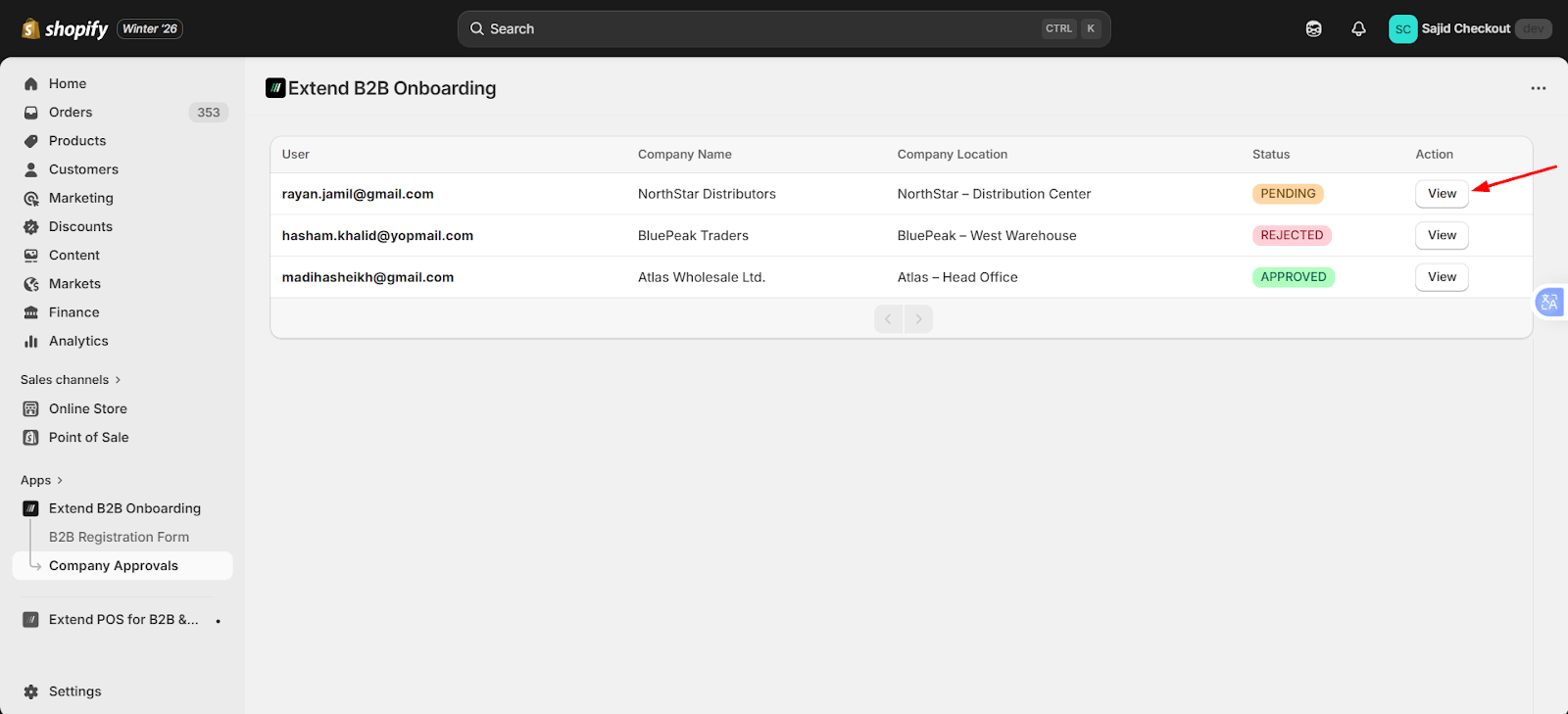
All registration forms submitted by customers appear in the **Company Approvals** section.
#### Form Submission Sources
Requests can be submitted from:
* Theme App Extension
* Customer Account Extension
* POS Extension
#### Approving or Rejecting Requests
* Click the **View** button to review a submitted request
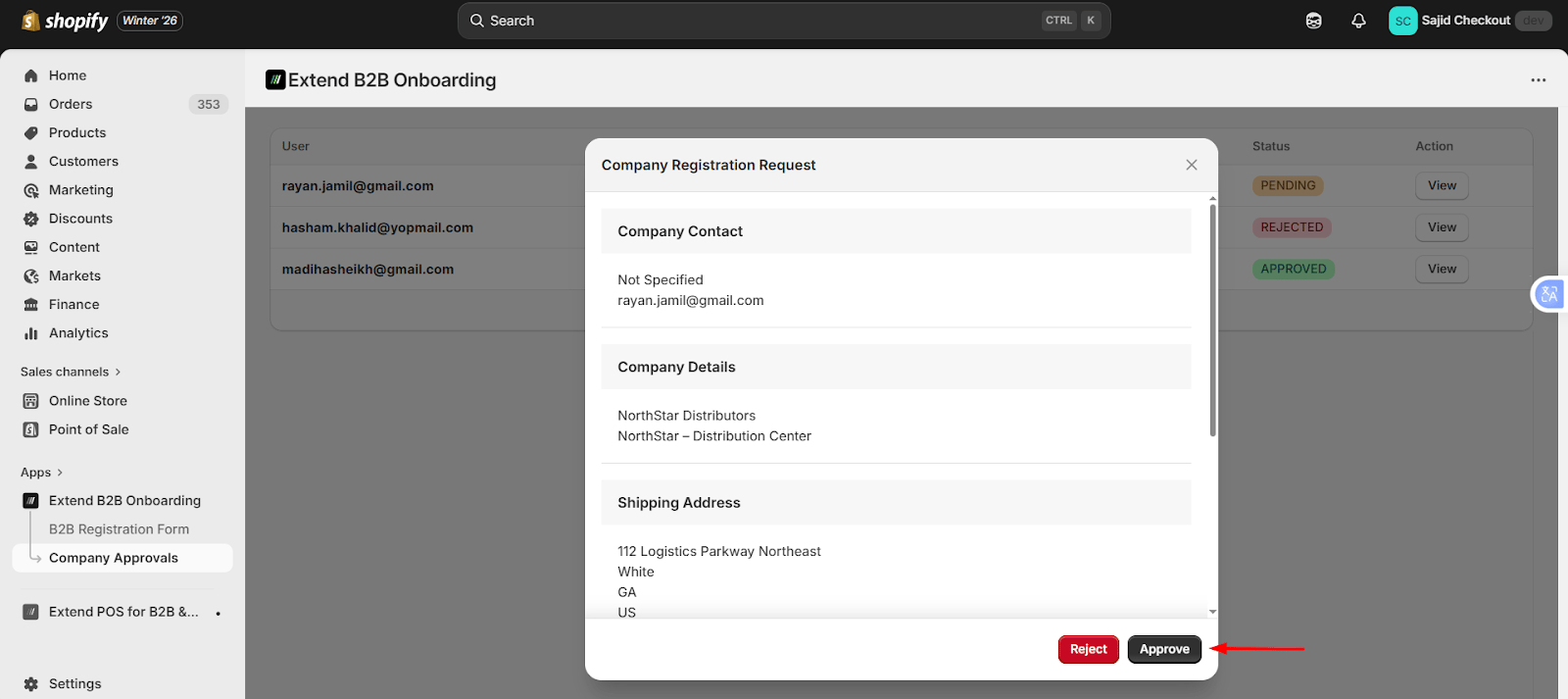
* Merchants can approve or reject each request from the request details screen
When a request is approved:
* A **Company** is created in Shopify
* A **Company Location** is created
* The customer is assigned as the **Main Contact**
 When a request is rejected:
* The **Company** is not created
* The request is marked as rejected for record purposes
When a request is rejected:
* The **Company** is not created
* The request is marked as rejected for record purposes