> ## Documentation Index
> Fetch the complete documentation index at: https://help.extendcommerce.com/llms.txt
> Use this file to discover all available pages before exploring further.
# Installation Guide
> Step-by-step instructions to install and set up Extend Address Book on your store.
1. **Access the Shopify App Store**\
Log in to your Shopify admin panel and navigate to the Shopify App Store.
2. **Search for the App**\
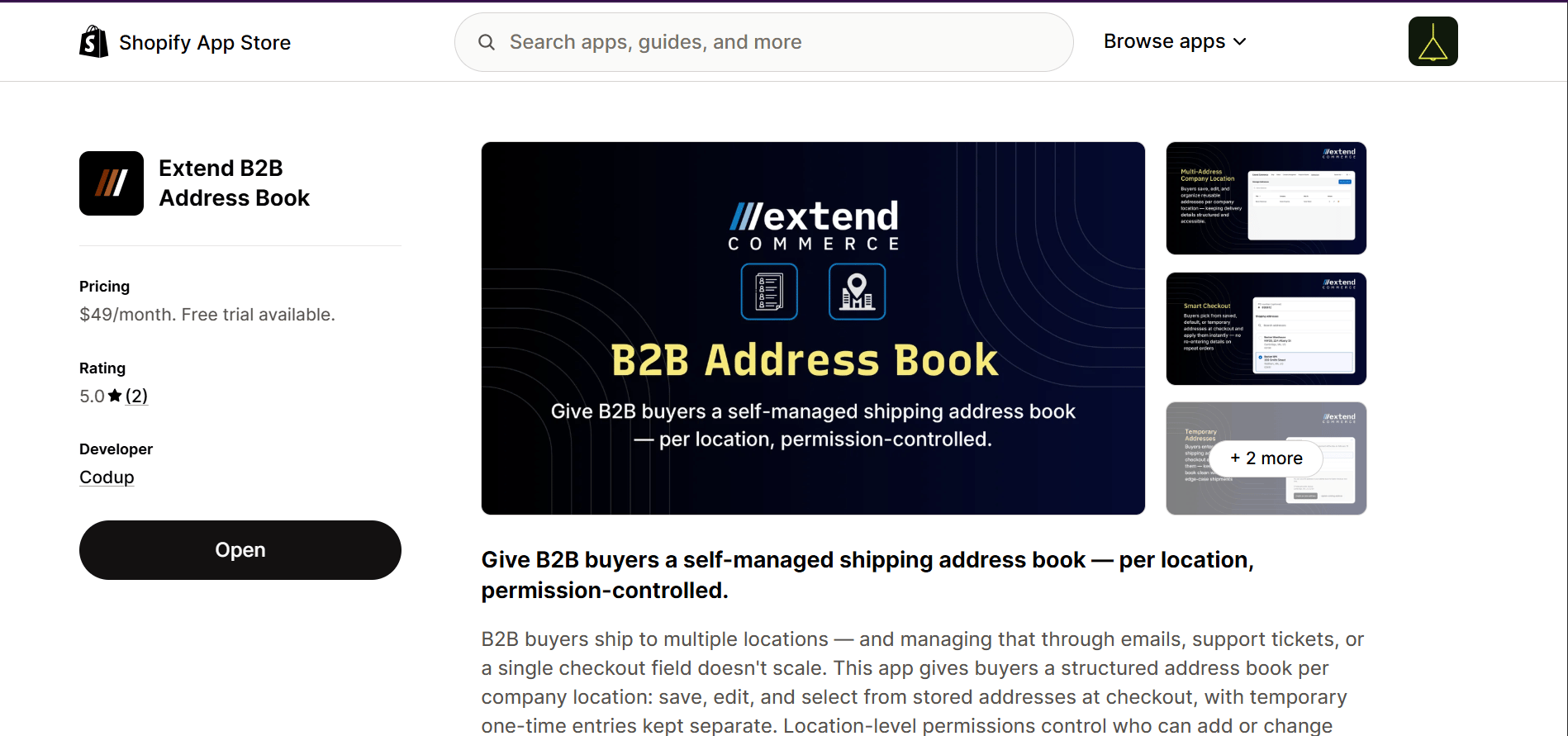
Use the search bar to find **Extend B2B Address Book**. Or, [click here to go directly to the app page](https://apps.shopify.com/extend-b2b-address-book).
 3. **Review App Details**\
Read through the app description, features, and requested permissions carefully to understand how it works.
4. **Install the App**\
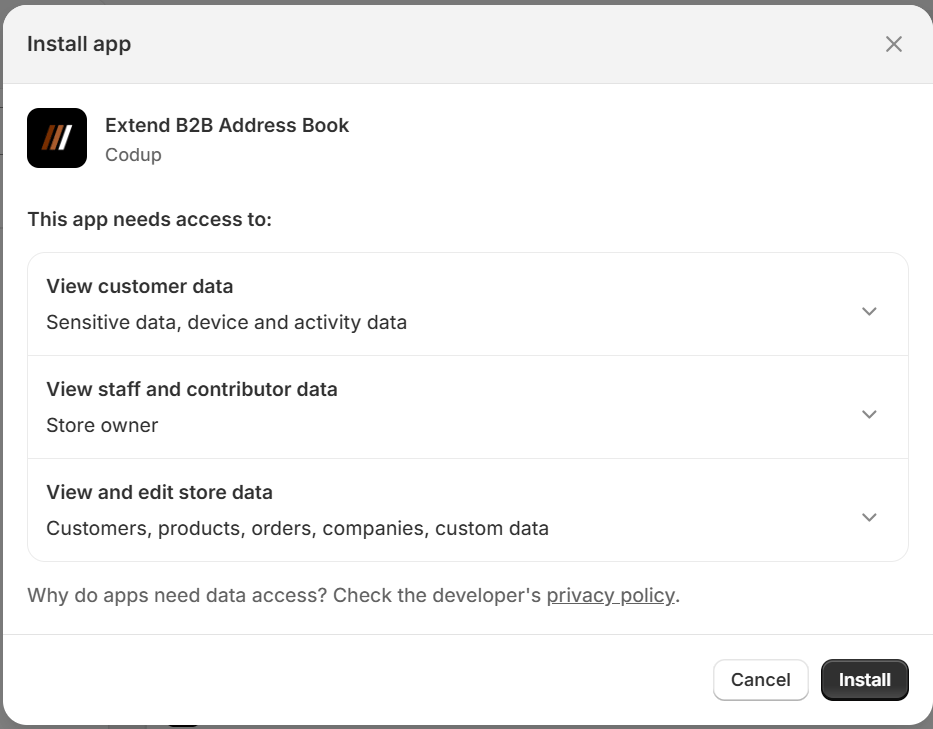
Click **Install** and review the permissions requested by the app. Then, click **Install app** to authorize and complete the installation.
3. **Review App Details**\
Read through the app description, features, and requested permissions carefully to understand how it works.
4. **Install the App**\
Click **Install** and review the permissions requested by the app. Then, click **Install app** to authorize and complete the installation.
 ### Pin the App in Shopify Admin
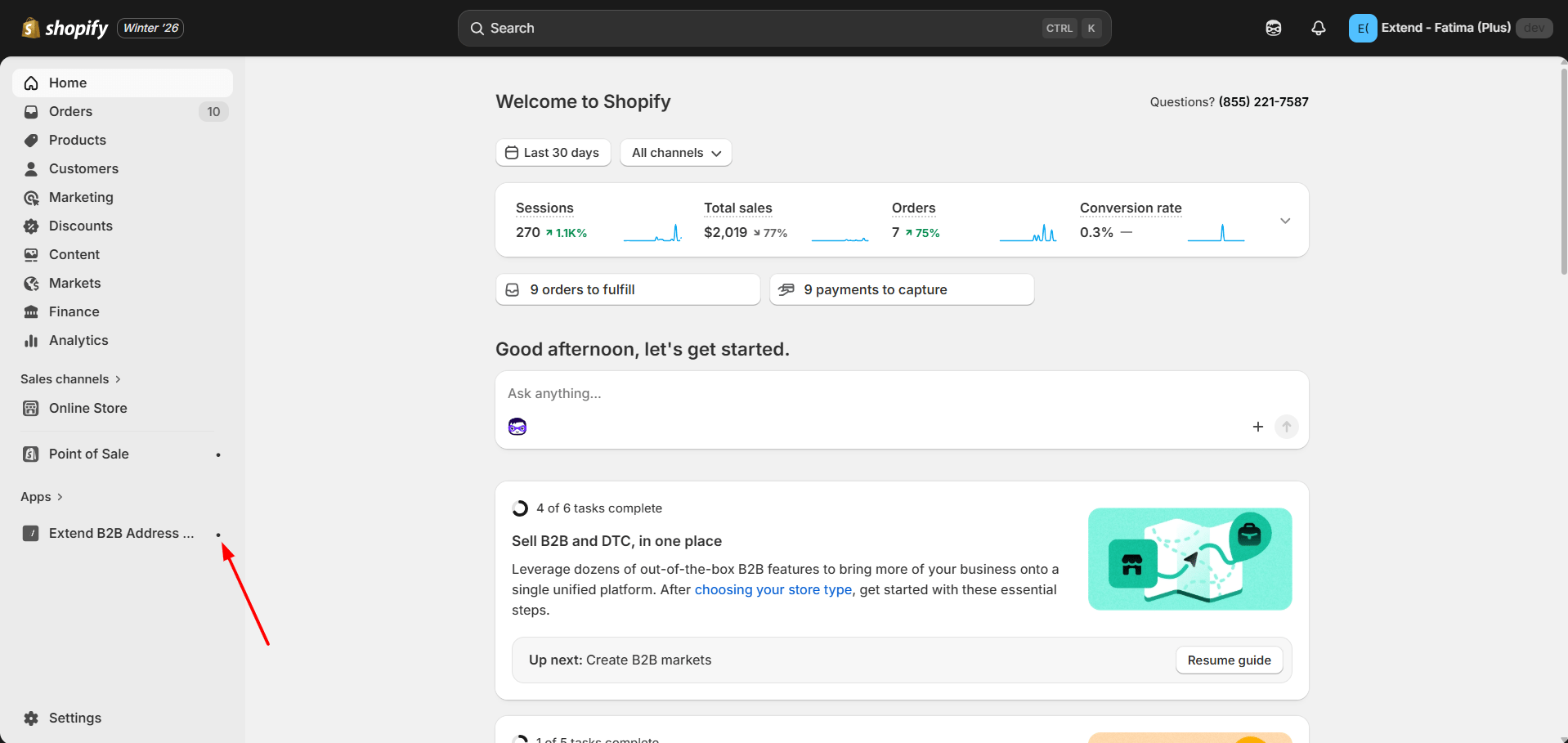
* After installation, the app appears in the left-side **Apps** panel in Shopify Admin
* Click the **pin icon** next to **Extend B2B Address Book** so it stays visible in the sidebar
### Pin the App in Shopify Admin
* After installation, the app appears in the left-side **Apps** panel in Shopify Admin
* Click the **pin icon** next to **Extend B2B Address Book** so it stays visible in the sidebar