Adding the Product Configurator to your Storefront
Add the Product Configurator block to your Shopify theme so customers can build configured products directly from the product page.
Written By Huda
Last updated 3 days ago
Step 1: Open Theme Customizer
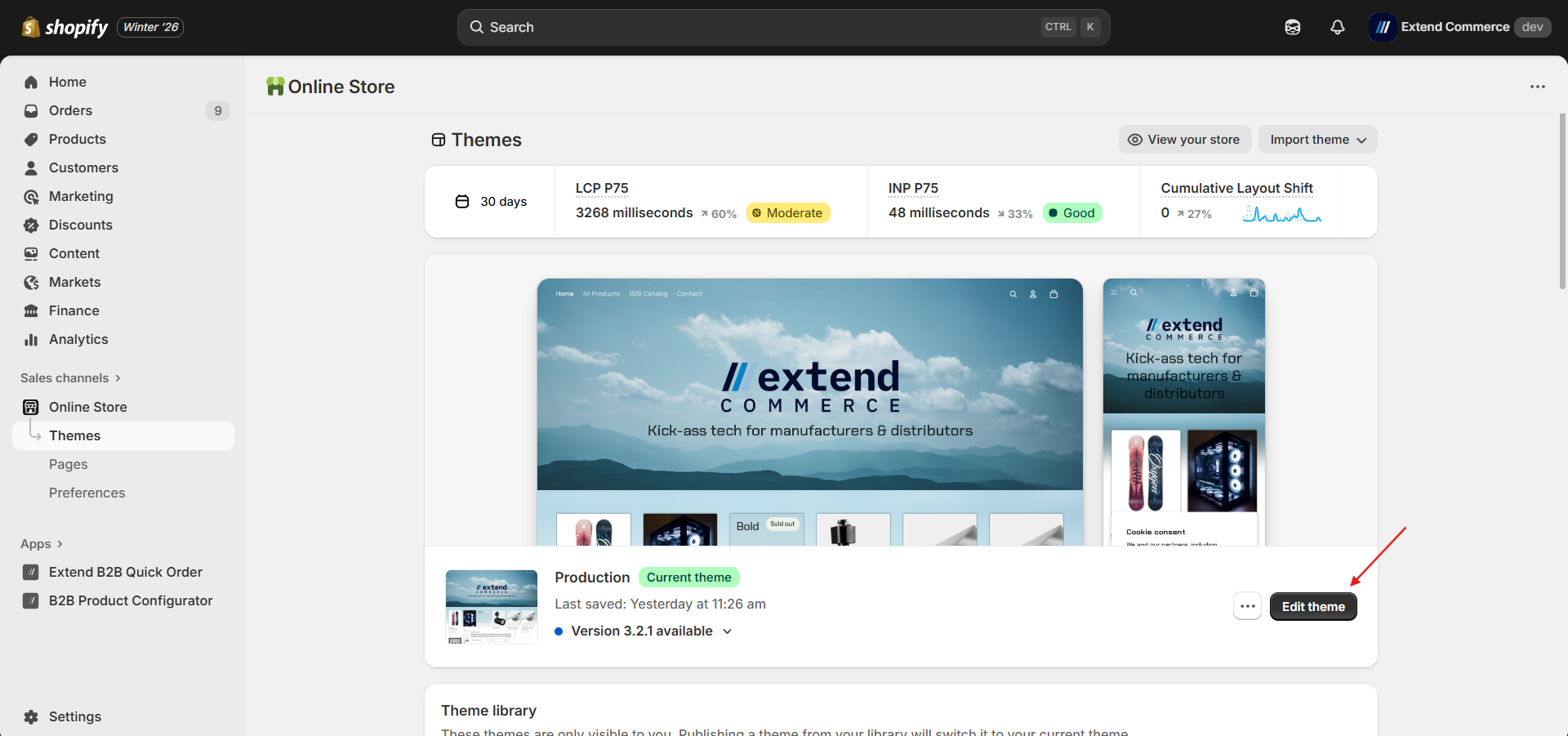
Go to Shopify Admin → Online Store → Themes
Click Customize on your active theme.
Step 2: Add the Product Configurator Extension
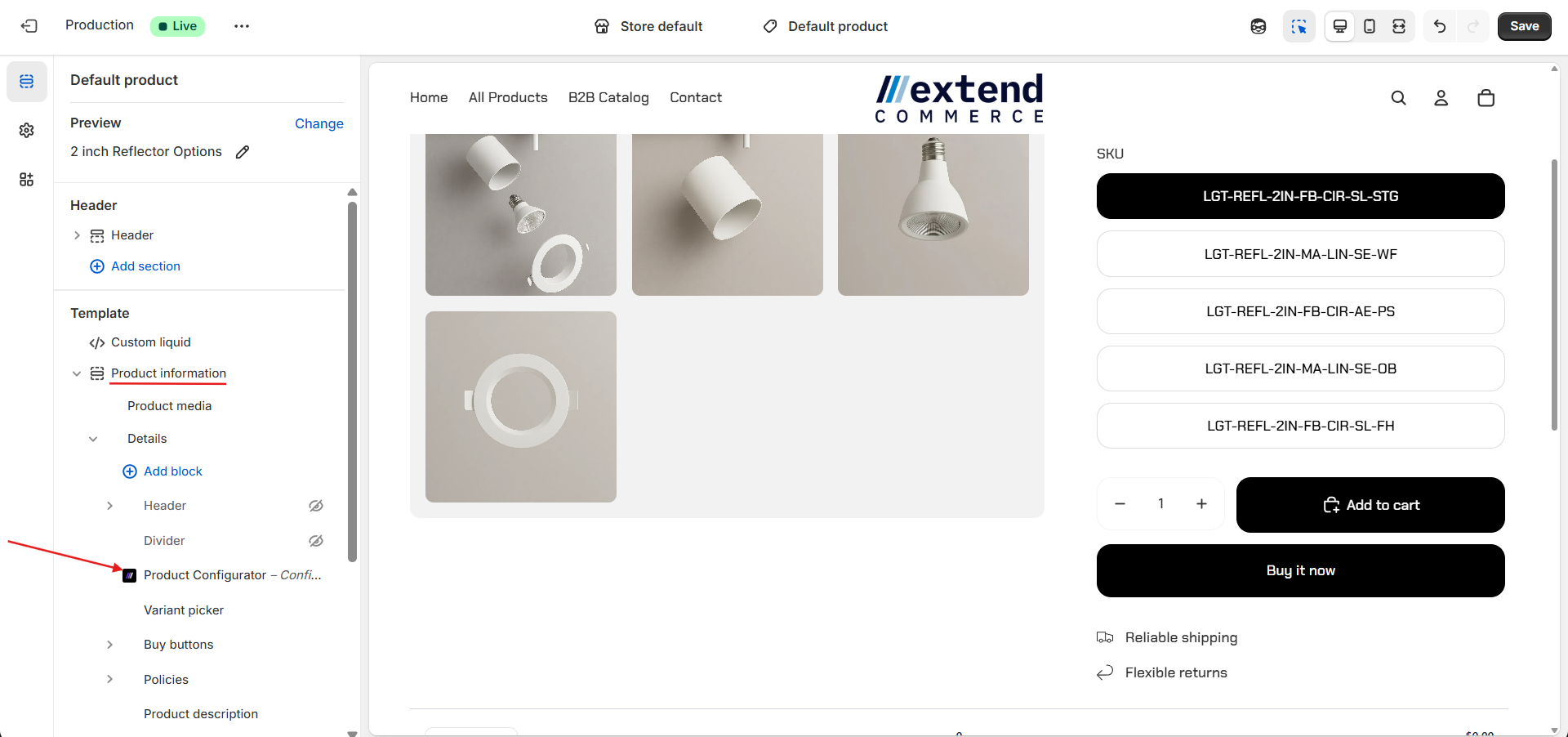
In the Theme Customizer, navigate to Product > Default Product
Under Template > Product Information > Details > Add a block
Select Product Configurator from the available Apps.
Adjust placement if needed.
Step 3: Save Your Changes
Click Save to apply the configuration to your theme.
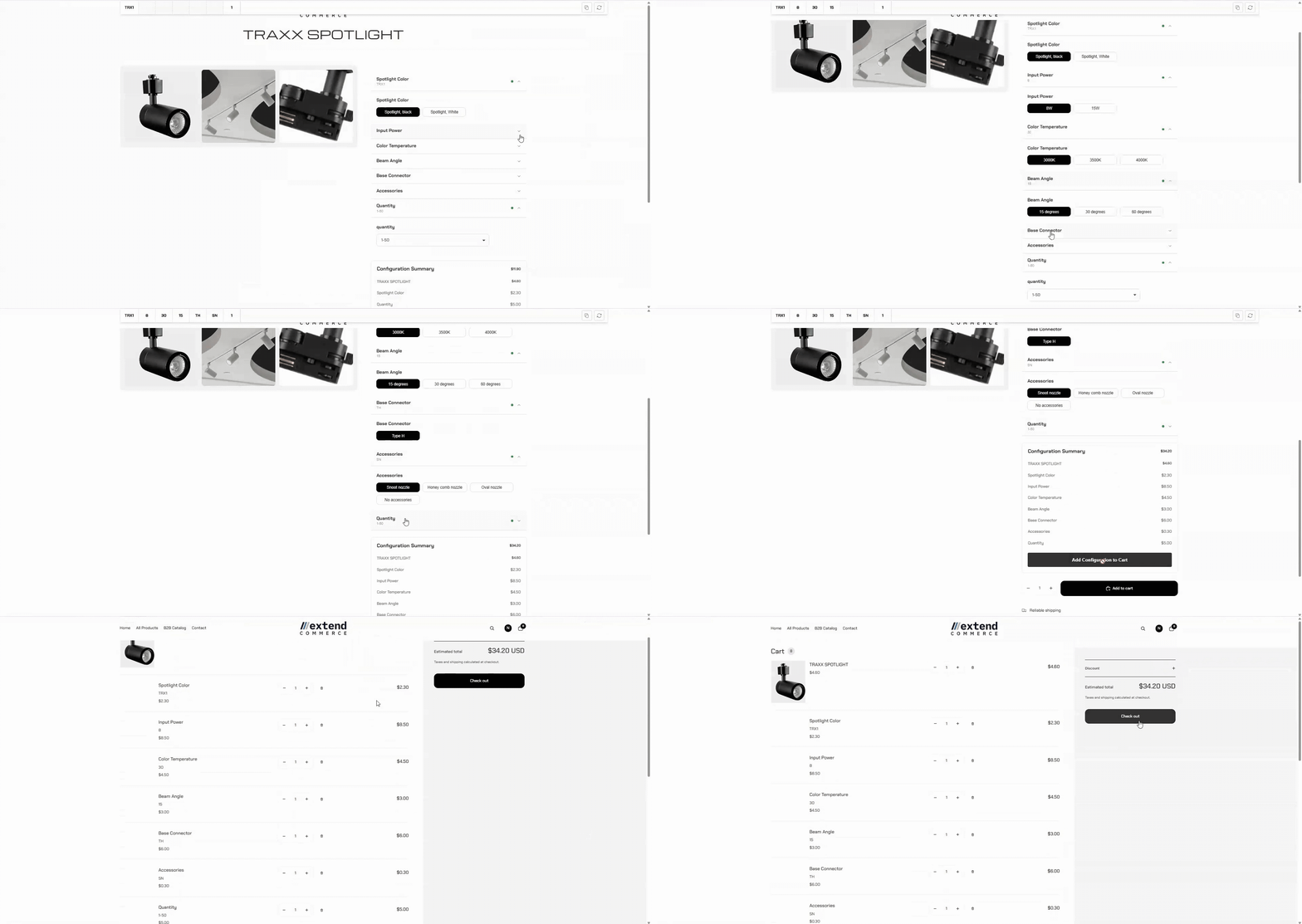
Configurable Products on the Storefront
When logged-in customers visit your store, the configurable parts will be displayed on the product page, allowing them to customize the product before purchasing. Here’s how it will appear on the storefront: