How to Configure the B2B Registration Form after Installation
Written By Fatima Faisal
Last updated 8 months ago
When you open the app for the first time, a default B2B registration form is already created.
Default Fields
Default fields are mandatory. These fields ensure that:
A Company can be created
At least one Company Location exists (required by Shopify)
Adding Custom Fields Using Meta fields
To collect additional company information:
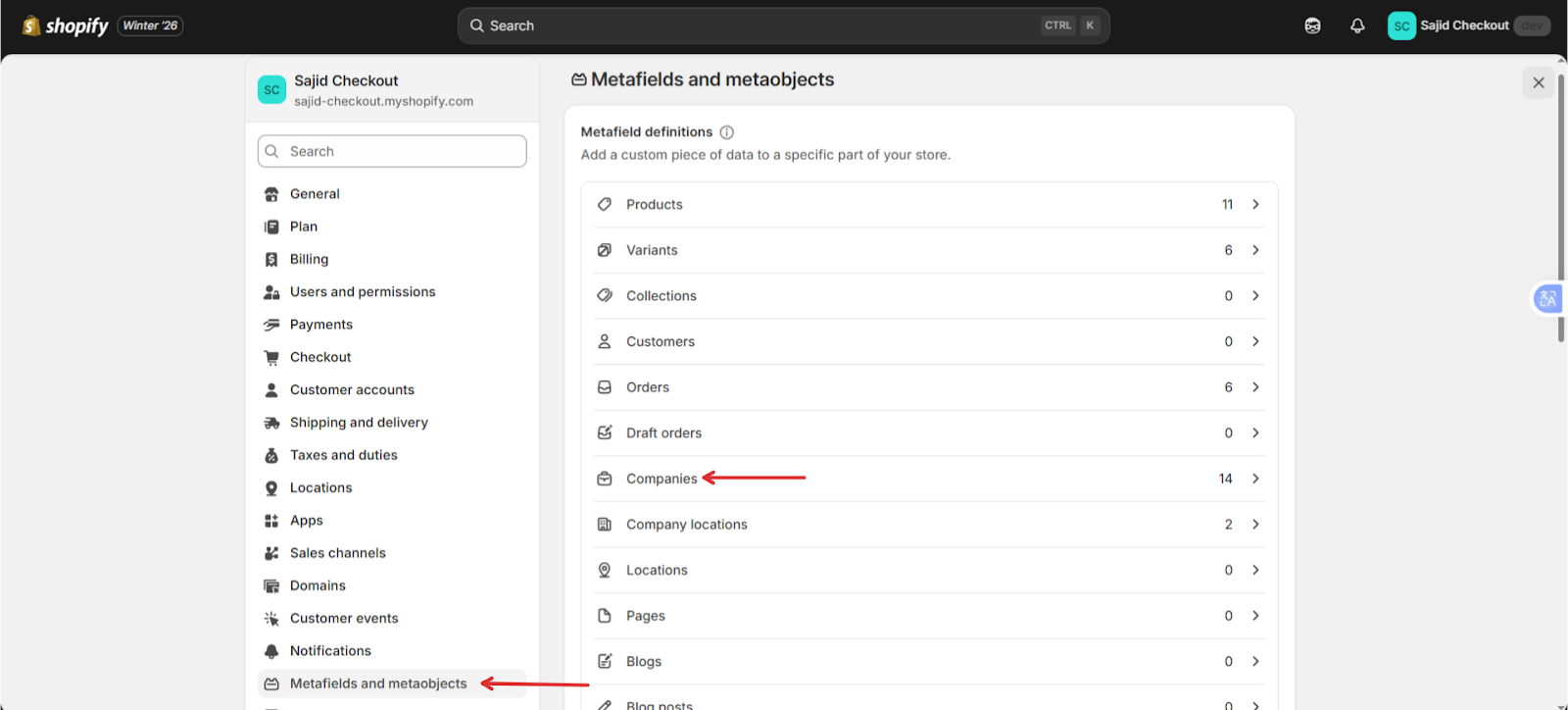
Go to Shopify Admin → Settings → Meta fields and metaobjects → Companies
Create company-level meta fields
Return to the app
The newly created meta fields will automatically appear as additional form fields.
Managing Form Layout
Custom fields can be:
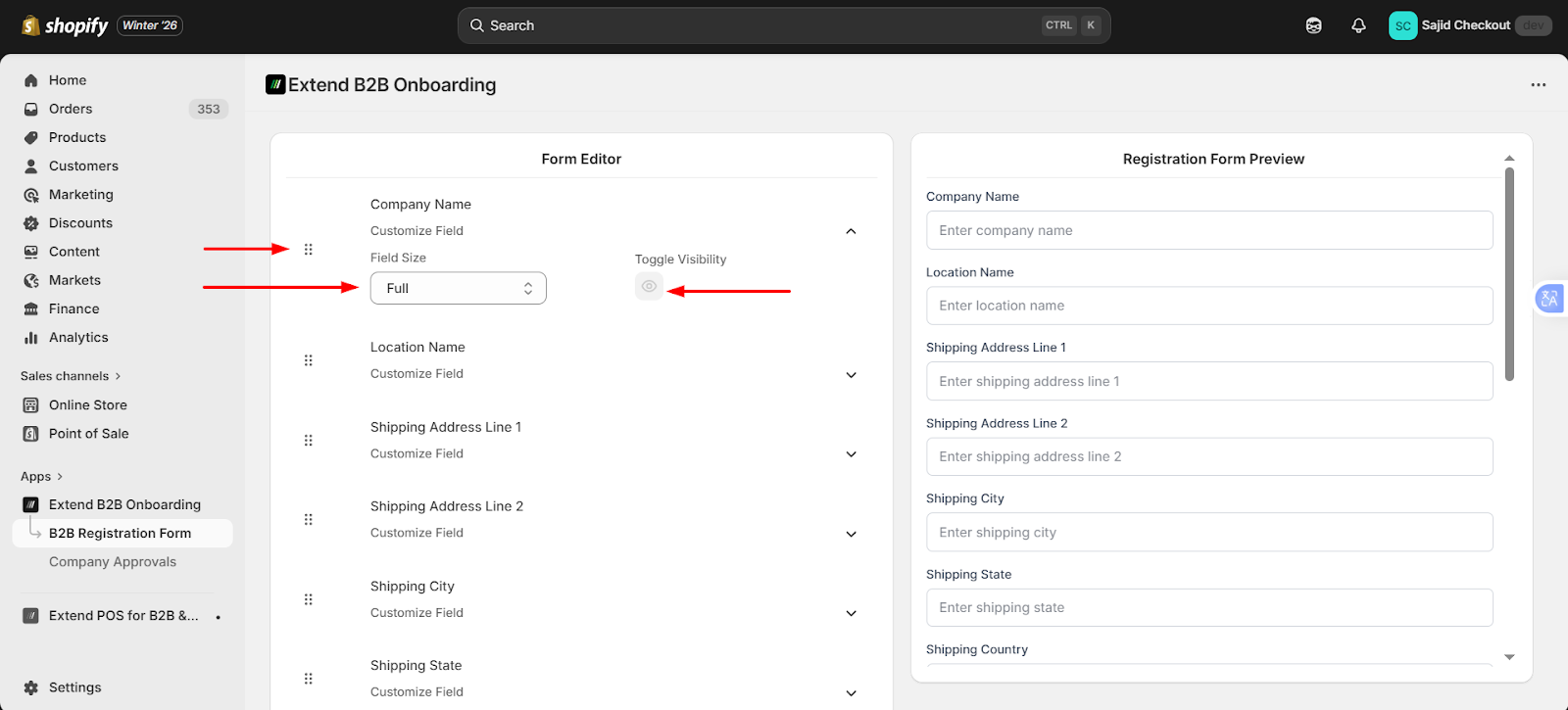
Enabled or disabled by clicking the view icon
Removed by deleting the meta fields from Shopify
Merchants can:
Drag and drop fields to reorder them
Resize fields to change the form layout